
Sikolo
Sikolo is a school management system: one place for a school to run its day-to-day administration and keep families informed.
- Product design, architecture and full-stack engineering
- Leaders, office staff, teachers, parents, pupils
- In staging with demonstration schools
Status: In staging with demonstration schools
- Product design
- architecture
- full-stack engineering
- Leaders
- office staff
- teachers
- parents
- pupils
- React 18
- TypeScript
- Express
- PostgreSQL
- Prisma
- Tailwind CSS

01
Overview
It is for school leaders and office staff, teachers, parents and pupils, and each of them has their own view.
Schools often juggle separate tools for registers, fees, homework and messages home, so the same information is typed twice and things slip through. In Sikolo, staff keep pupil records, take the register, issue fee invoices and record payments, and post notices. Teachers see what needs doing today, and parents follow their children’s attendance, homework and invoices from a phone.
02
The problem
A school runs on attendance, money, learning and family communication. When those live in four different tools, staff repeat work and contact falls through the gaps.

03
What it does
One product, 4 views over the same records. Pick one to see the screen it lives in.
Pupils, staff, fees, attendance and notices
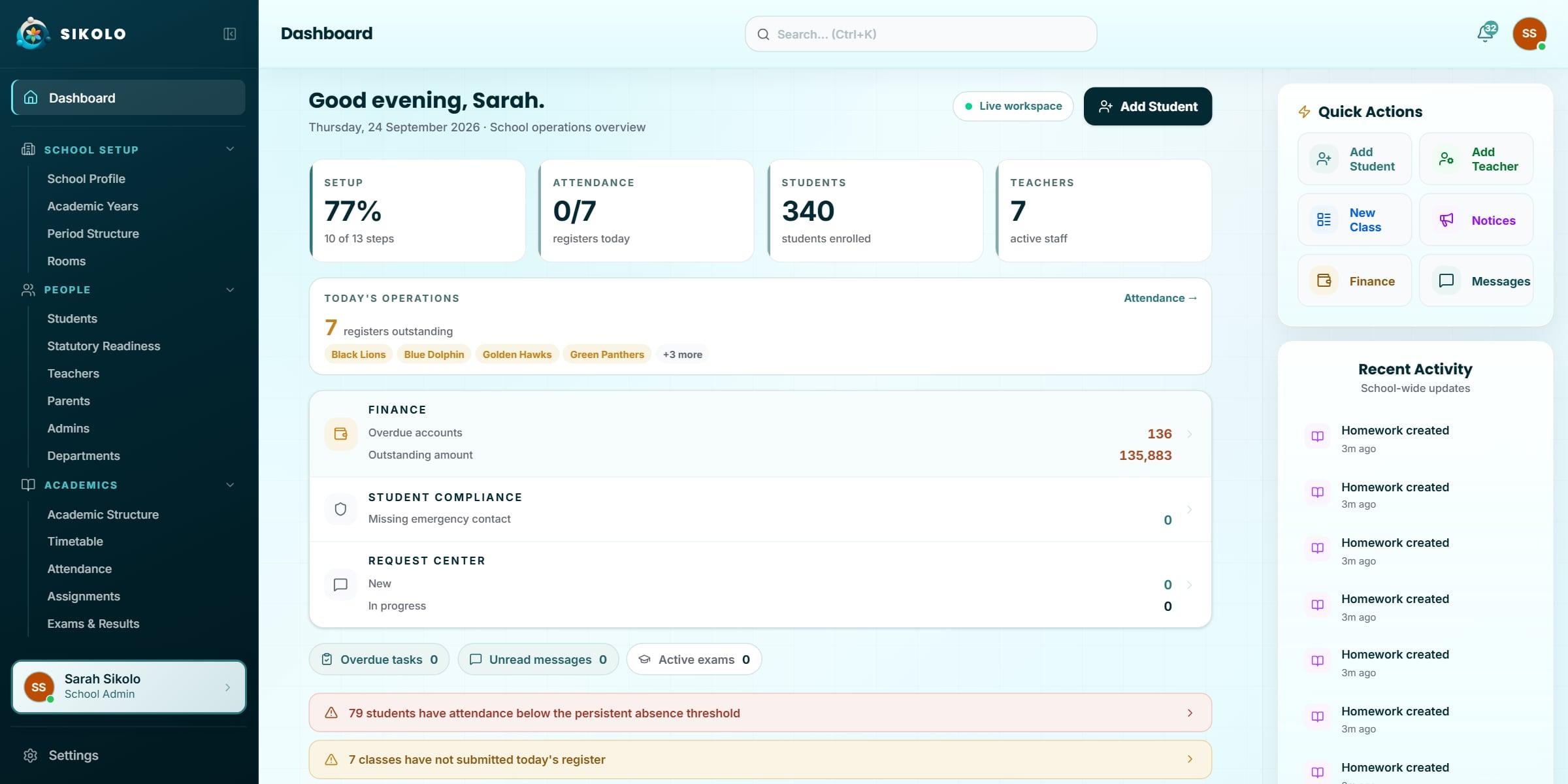
The four numbers first
Setup, registers taken, pupils enrolled and active staff: what a head checks before anything else.
Named, not counted
Outstanding registers list the classes by name, so the office knows exactly which teacher to chase.
Problems surface themselves
Persistent absence and missing registers arrive as alerts, not as reports someone has to remember to run.
More screens
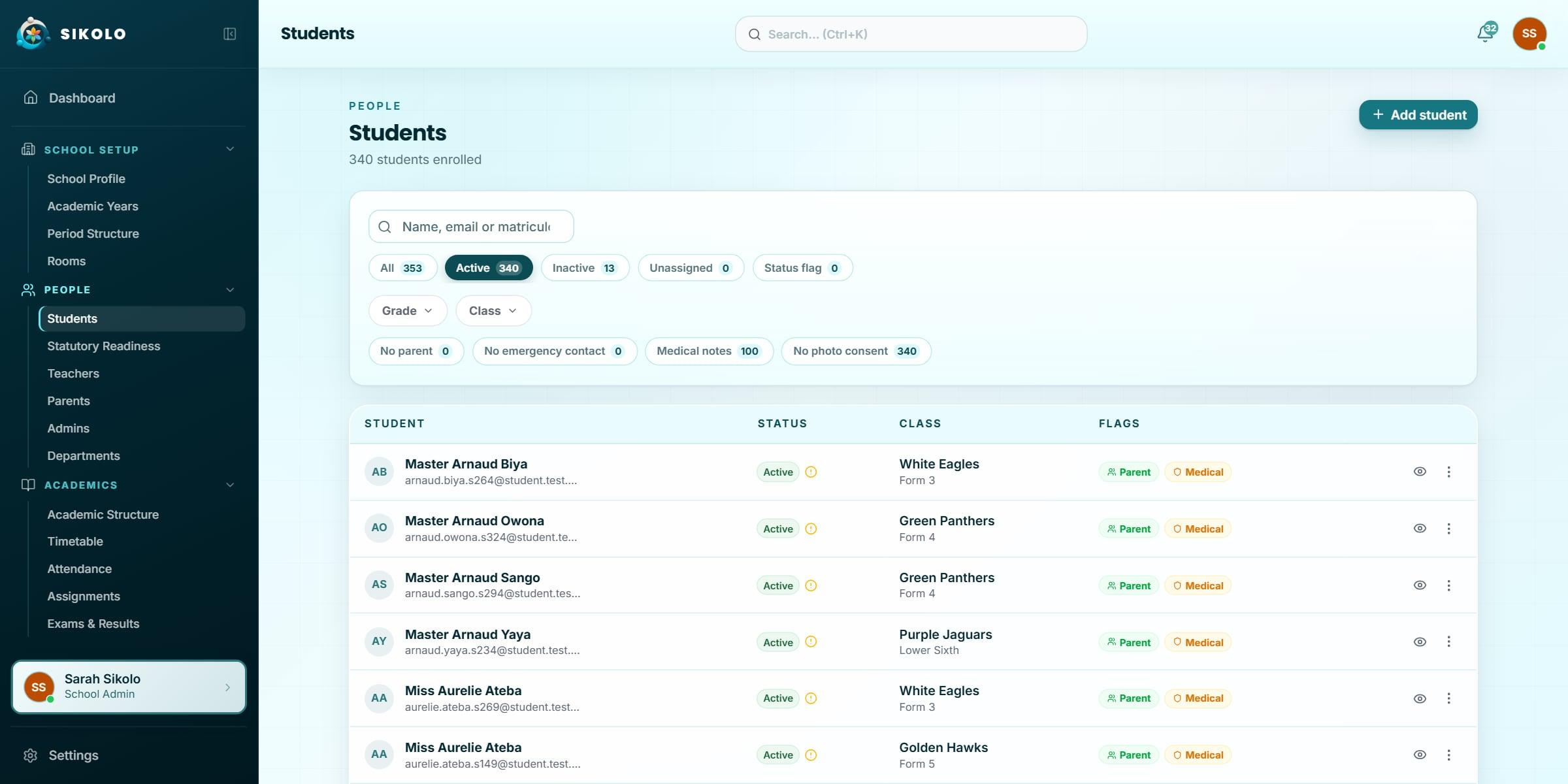
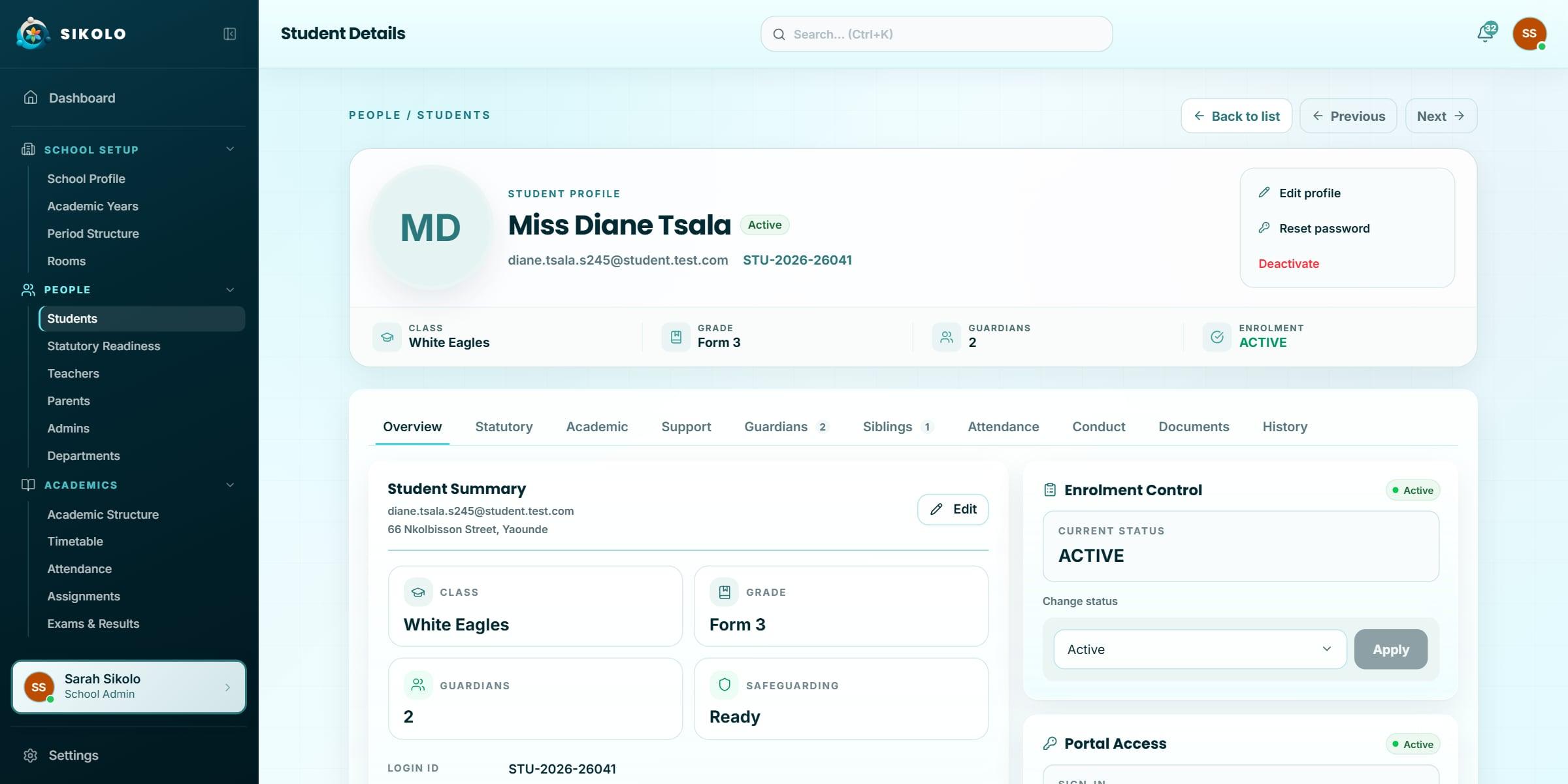
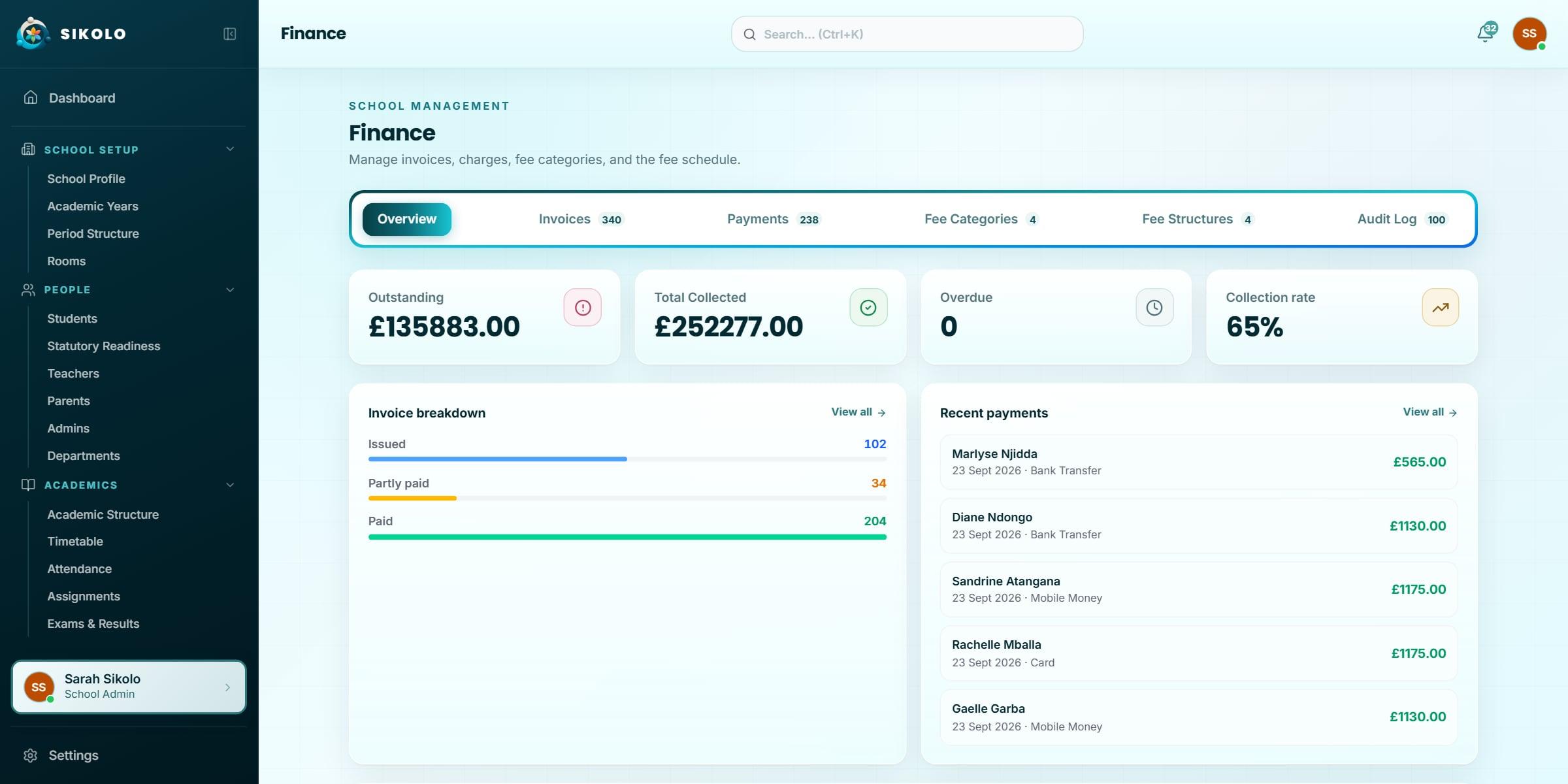
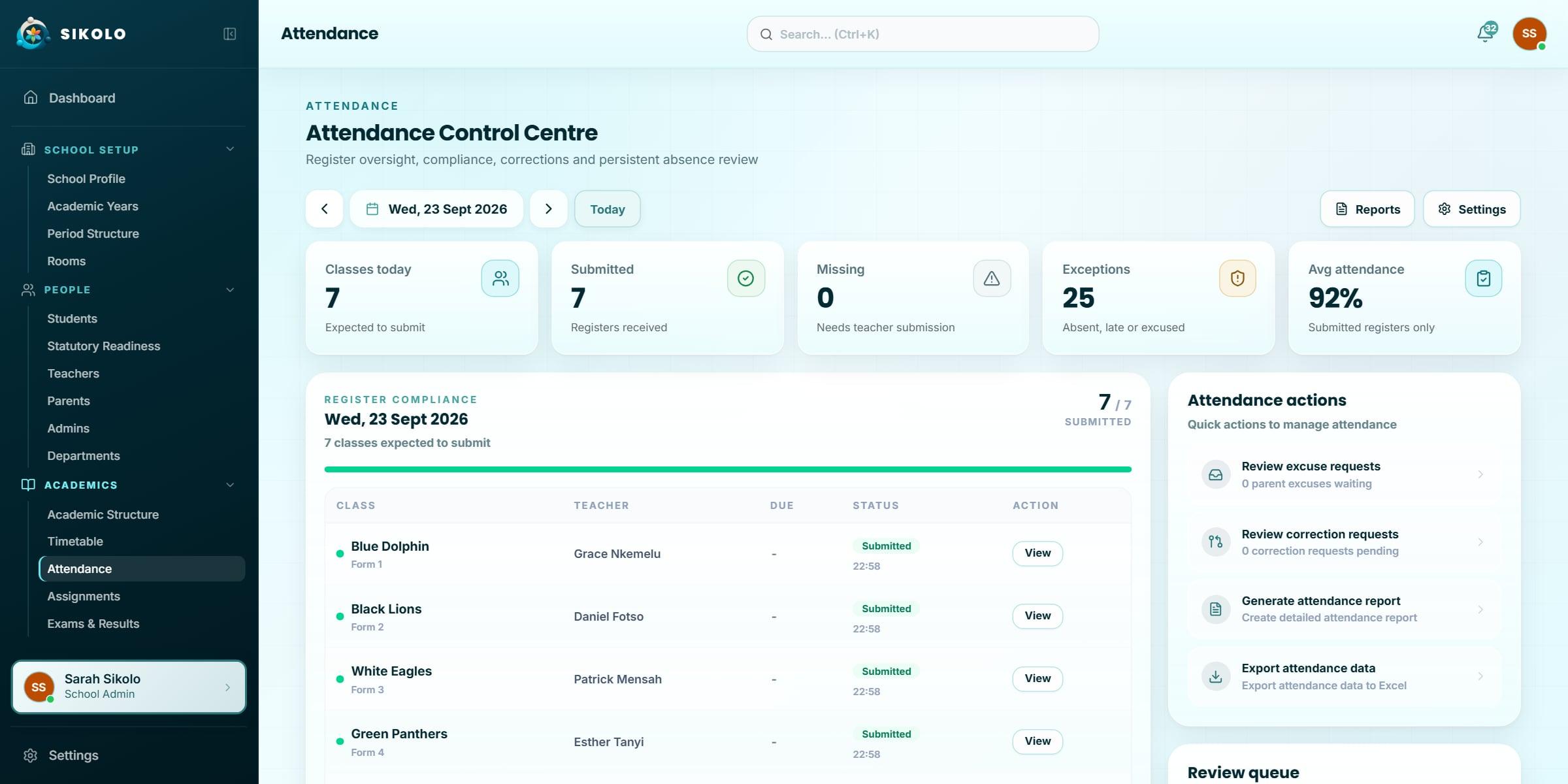
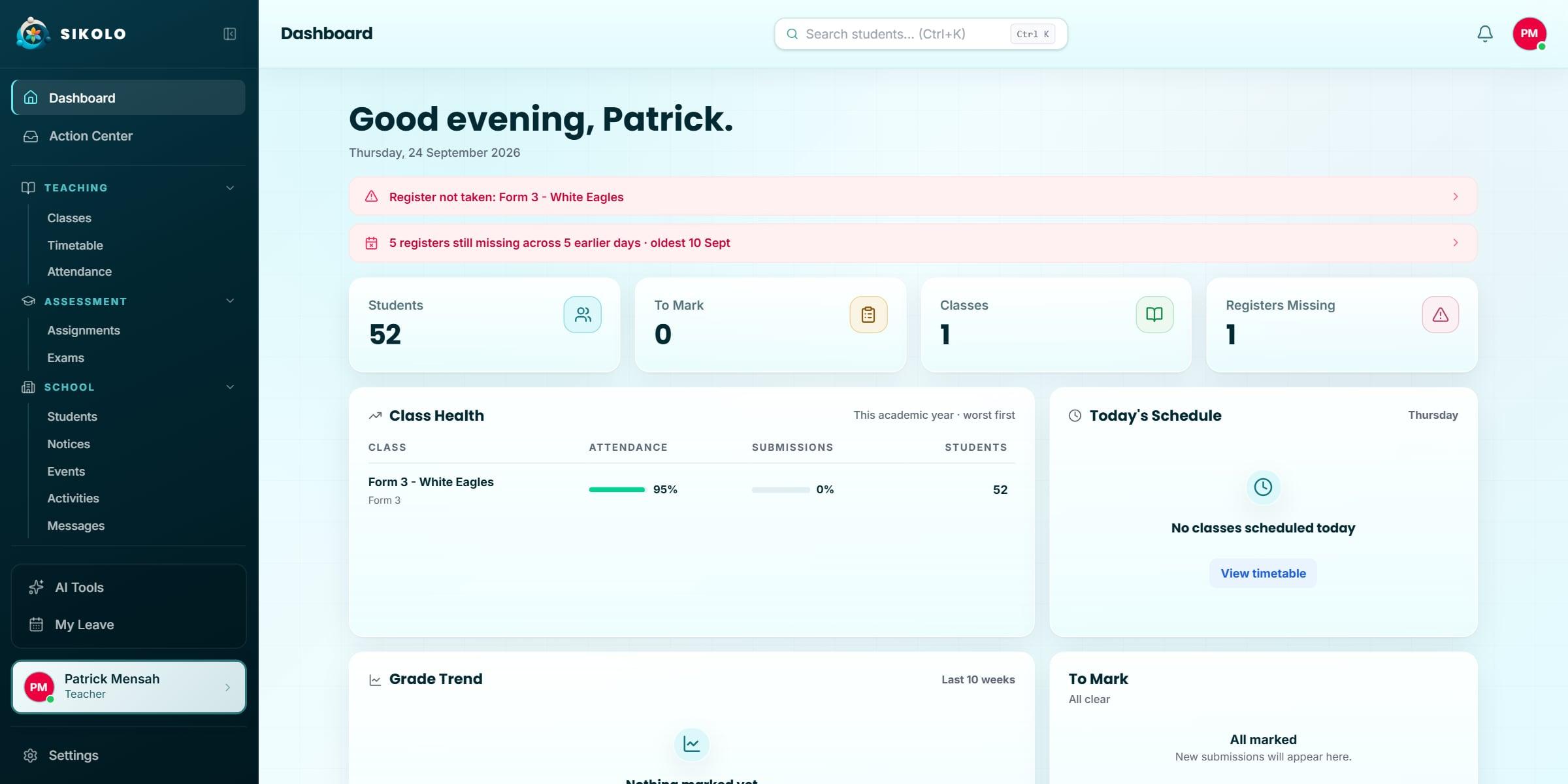
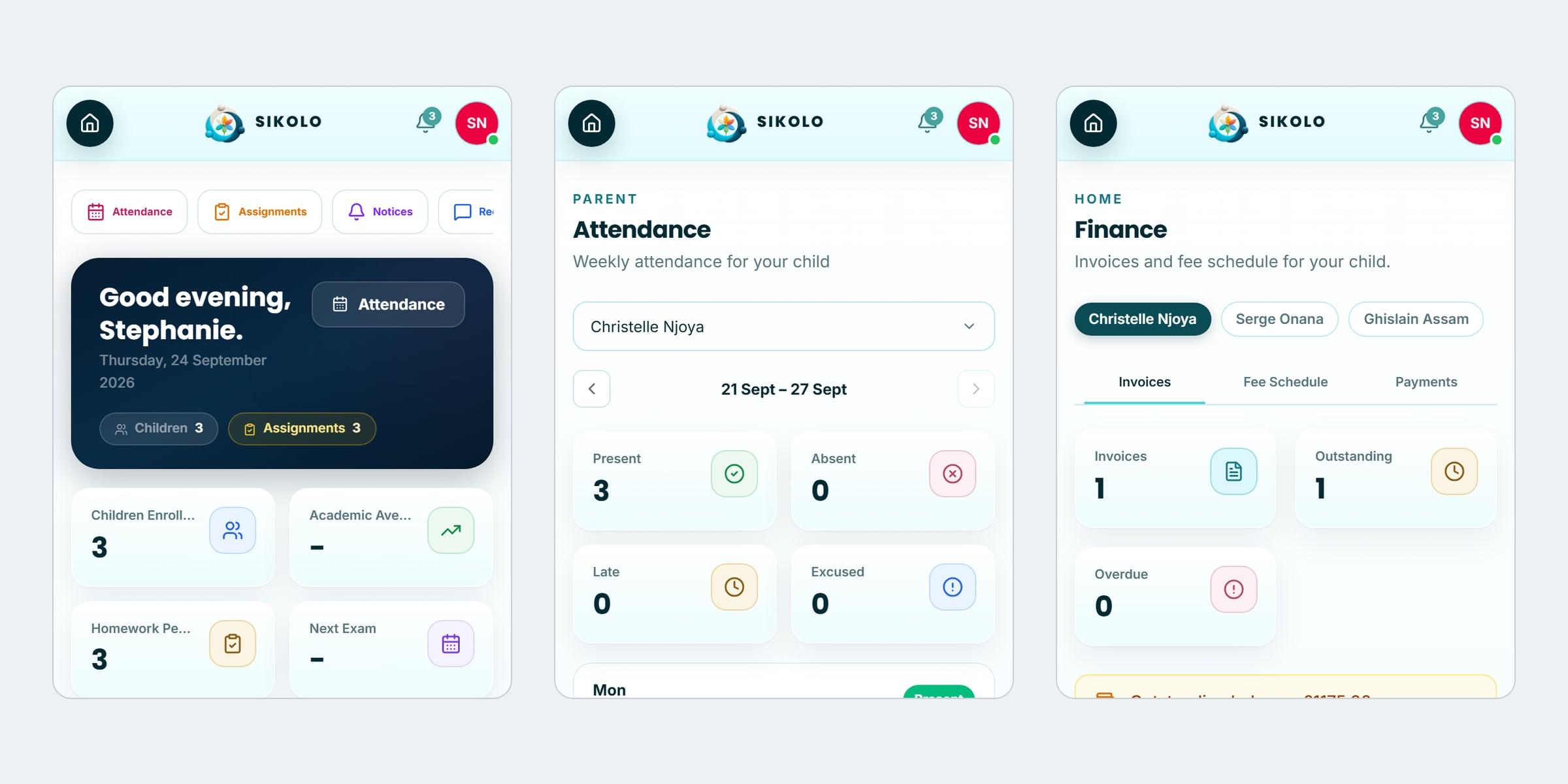
The administrator’s dashboard: today’s registers, fees owed and what needs attention
01 of 07
04
How it was designed
I designed and built Sikolo alone, against a detailed fictional school rather than a real one. Every portal is held to a written quality bar: shared components, no dead ends, and phone layouts checked at 360 and 390 pixels. An accessibility audit found 46 of 71 pages below contrast on its first run; the colours were recomputed across 178 files until every page passed.
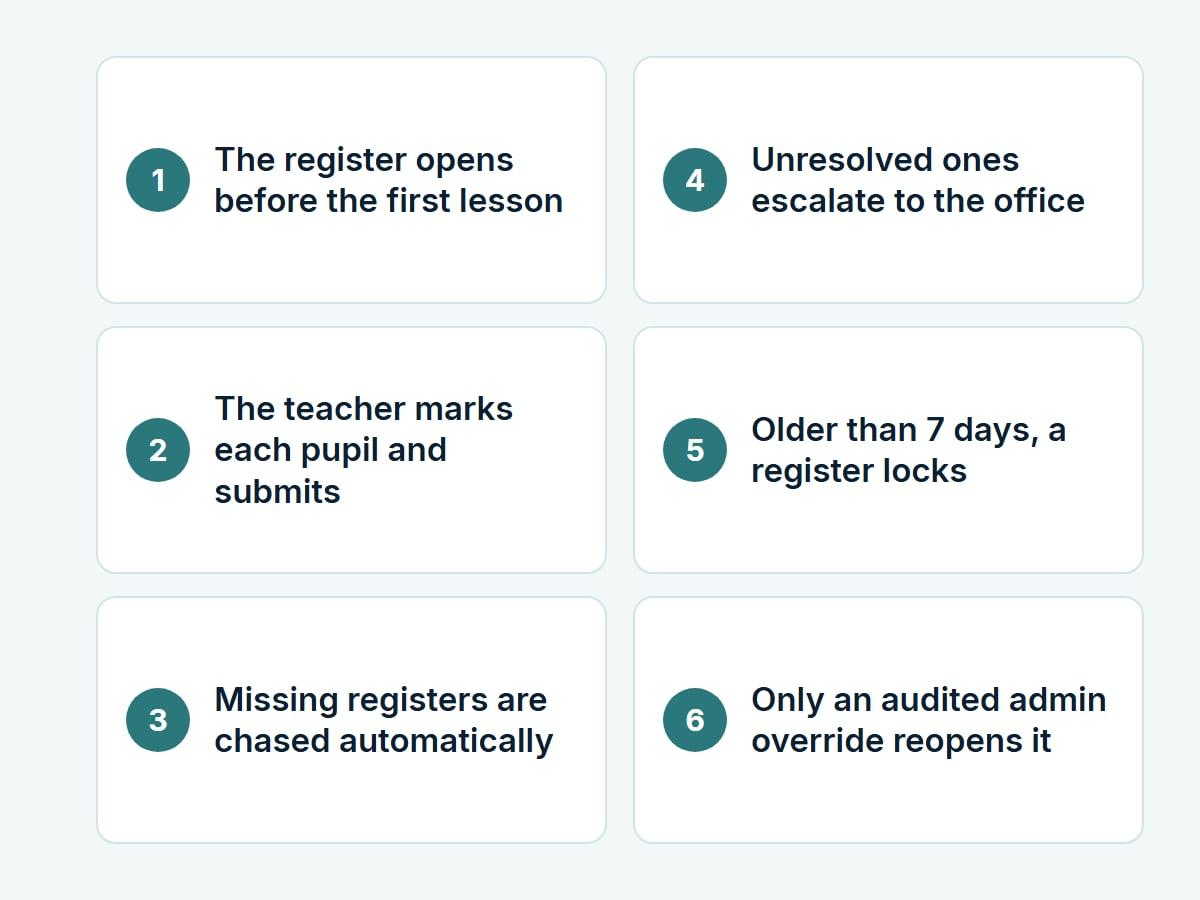
Flows
The register, from opening to lock: chased automatically, and reopened only by an audited override.
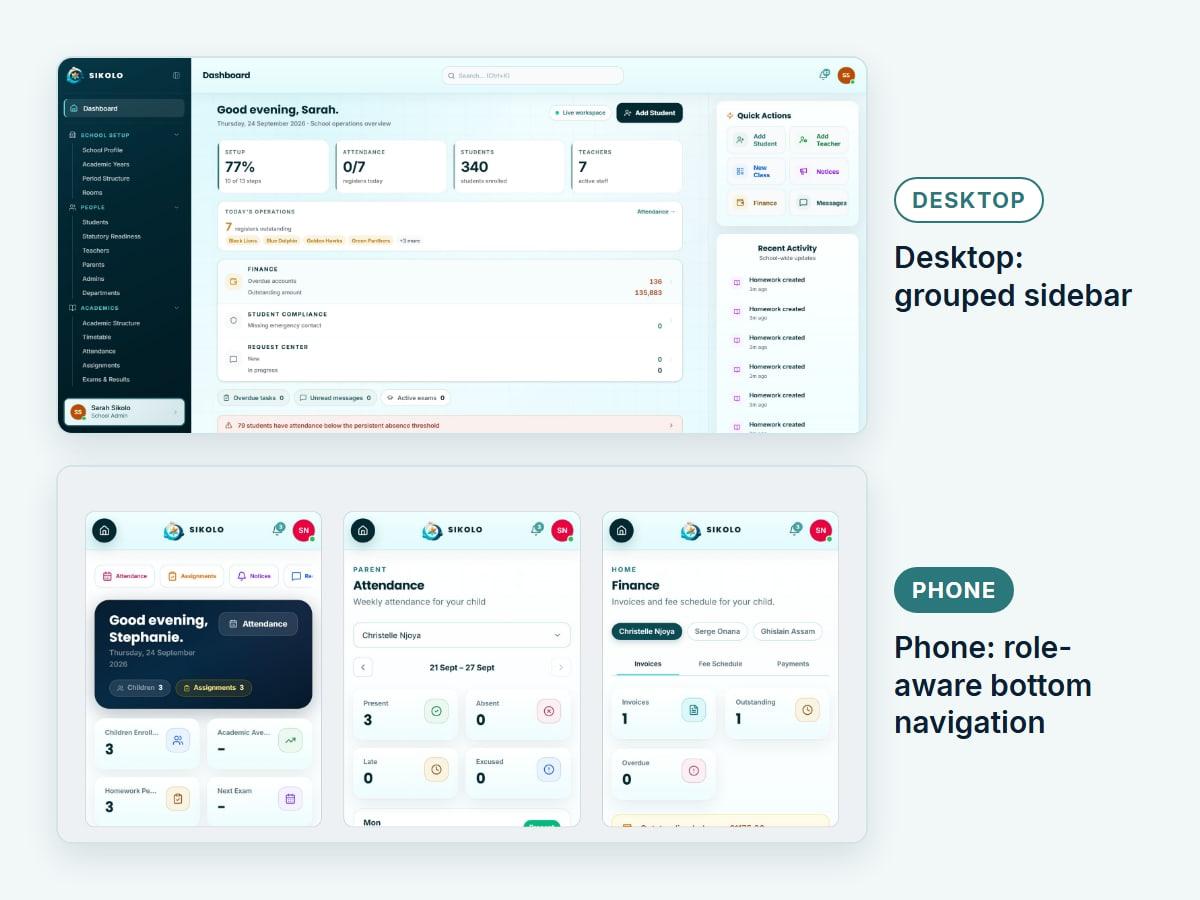
Desktop to phone
The cramped mobile sidebar was replaced by a role-aware bottom bar.
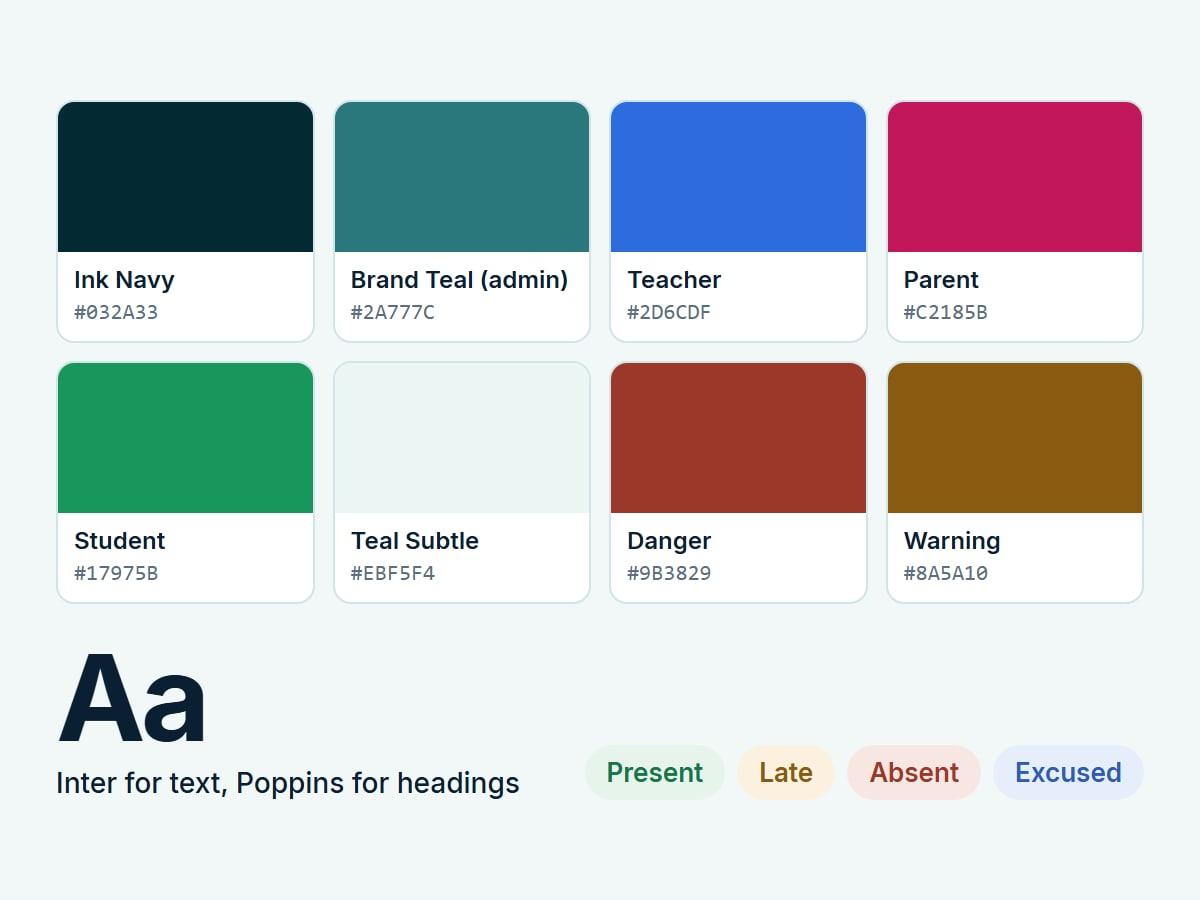
Design system
One component set, with a single accent colour per portal.
05
Decisions worth explaining
- 01
Multi-tenant safety is structural, not a filter
School scope is carried through authentication, authorisation, services and database queries. It is never left to the interface to hide the wrong class.
- 02
Finance separates setup, billing, payment and audit
Fee structures are distinct from invoices, payments can be allocated across several invoices, and sensitive changes write to an append-only trail.
- 03
Shared rules prevent gentle drift
Audience targeting, schedule aggregation, status meaning and assessment state are centralised, so five parts cannot quietly calculate five different answers to the same question.
- 04
Responsibility lives on the link
Who may collect a child, who receives reports and invoices, and who is the emergency contact are recorded on the link between that adult and that child, not on the adult, because families differ child by child.
- 05
Accessibility is a gate, not a pass
Every page is checked against WCAG 2.1 AA at 360, 390 and 1280 pixels on every change, and the check was proven to fail by putting the defects back.
06
Where it got to
Administration, finance, attendance and the teacher, parent and pupil portals are built and running on staging with demonstration schools. The product is covered by around 3,000 automated tests, and all 71 pages pass automated accessibility checks at phone and desktop sizes.
- ~3,000
- automated tests
- 71
- pages passing automated accessibility checks
- 4
- portals: admin, teacher, parent, pupil
The boundary
What this does not claim
- No school is using it yet, so there are no adoption or outcome figures.
- The accessibility results come from automated checks; a review with a screen-reader user is still to come.
- Data-protection sign-off and a full recovery test are needed before a real school’s data goes in.
A guided tour of the product, on a call.