
JomJa
JomJa is an online workspace for community associations: the clubs, family networks and mutual-help groups that meet regularly and make decisions together.
- Product design, architecture and full-stack engineering
- Chairs, secretaries, treasurers, members
- In staging with a demonstration association
Status: In staging with a demonstration association
- Product design
- architecture
- full-stack engineering
- Chairs
- secretaries
- treasurers
- members
- React
- TypeScript
- NestJS
- PostgreSQL
- Prisma
- Docker

01
Overview
It is for the people who run those meetings, such as the chair, the secretary and the treasurer, and for every member who wants to know what was decided.
Today much of that lives in group chats, paper notebooks and people’s memories, so decisions get lost and disagreements start. JomJa gives every meeting a proper record: the agenda sent out beforehand, who came, what was decided and how, minutes members can read, and a clear list of who agreed to do what next.
02
The problem
Associations run on meetings, but the value is in what the meeting decided. Minutes sit in inboxes and group chats, attendance lives in somebody’s notebook, and nobody can say with confidence what was agreed last March or whether it was ever done.

03
What it does
One product, 4 views over the same records. Pick one to see the screen it lives in.
Agenda, notes, attendance and decisions in one place
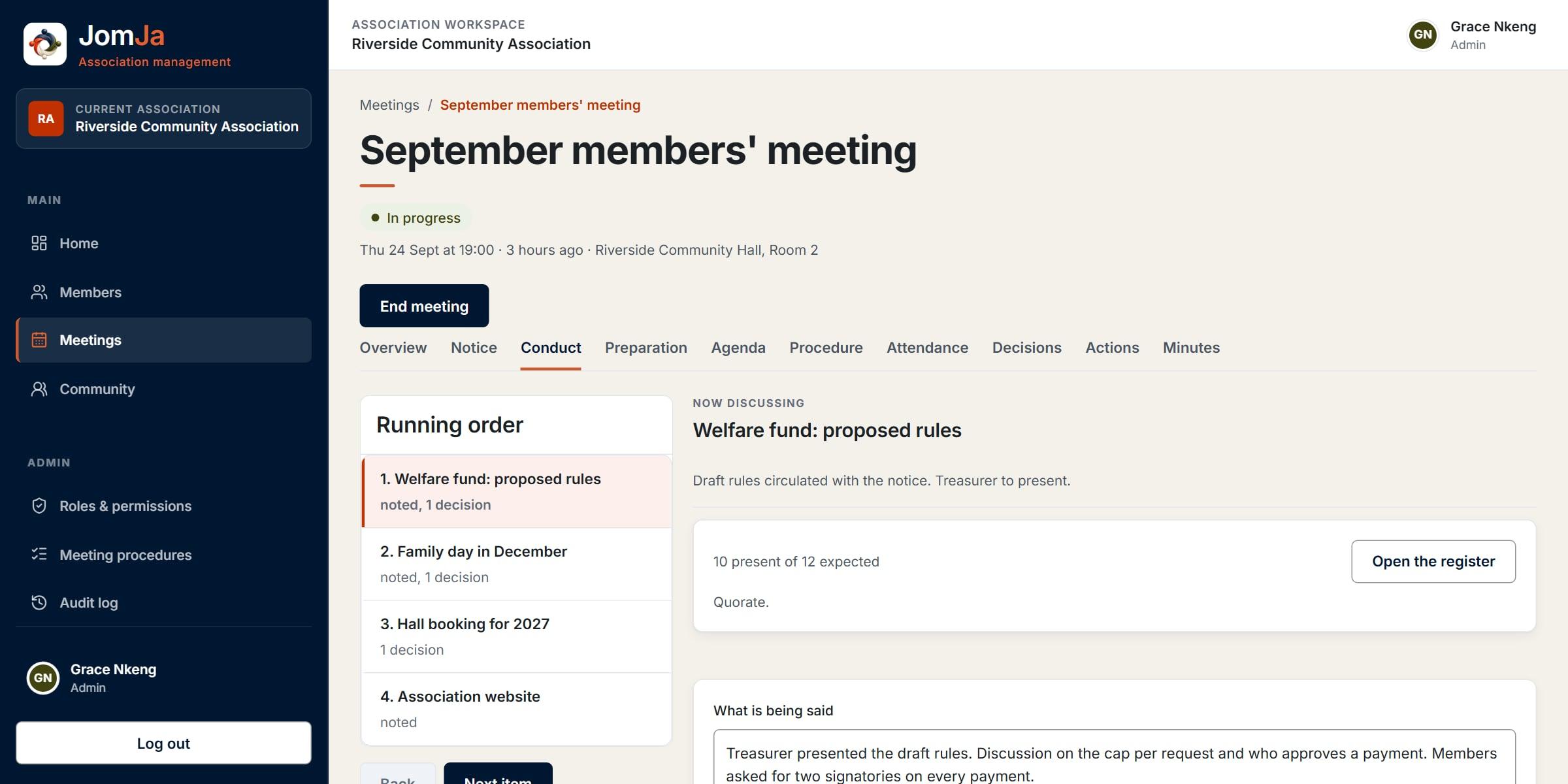
Where it stands
The meeting says what state it is in, and moves only through the steps the association allows.
The running order
Each item shows what was noted and decided, as it happens.
Quorum, live
Attendance is counted against the association’s own quorum rule while the meeting runs.
More screens
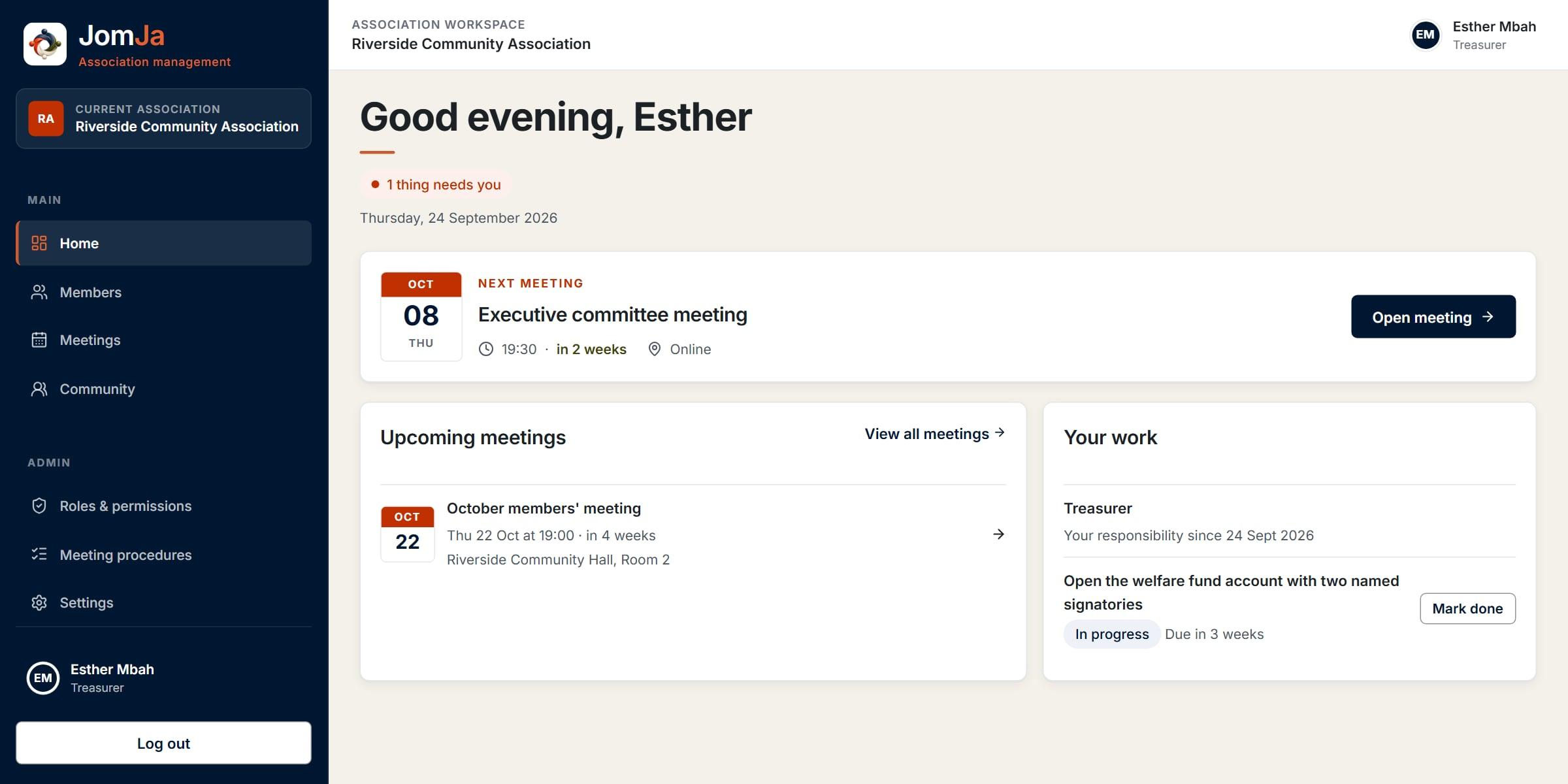
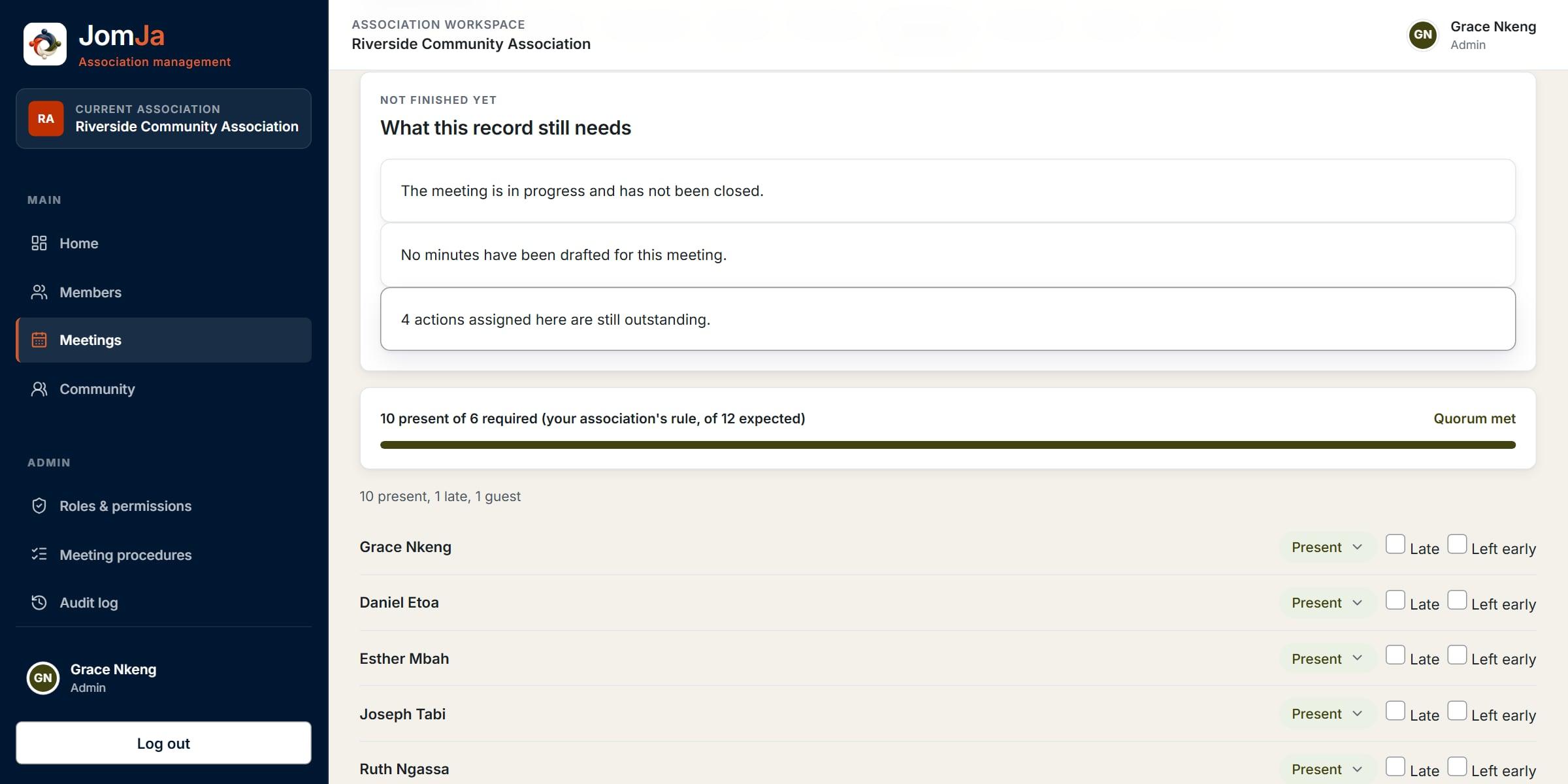
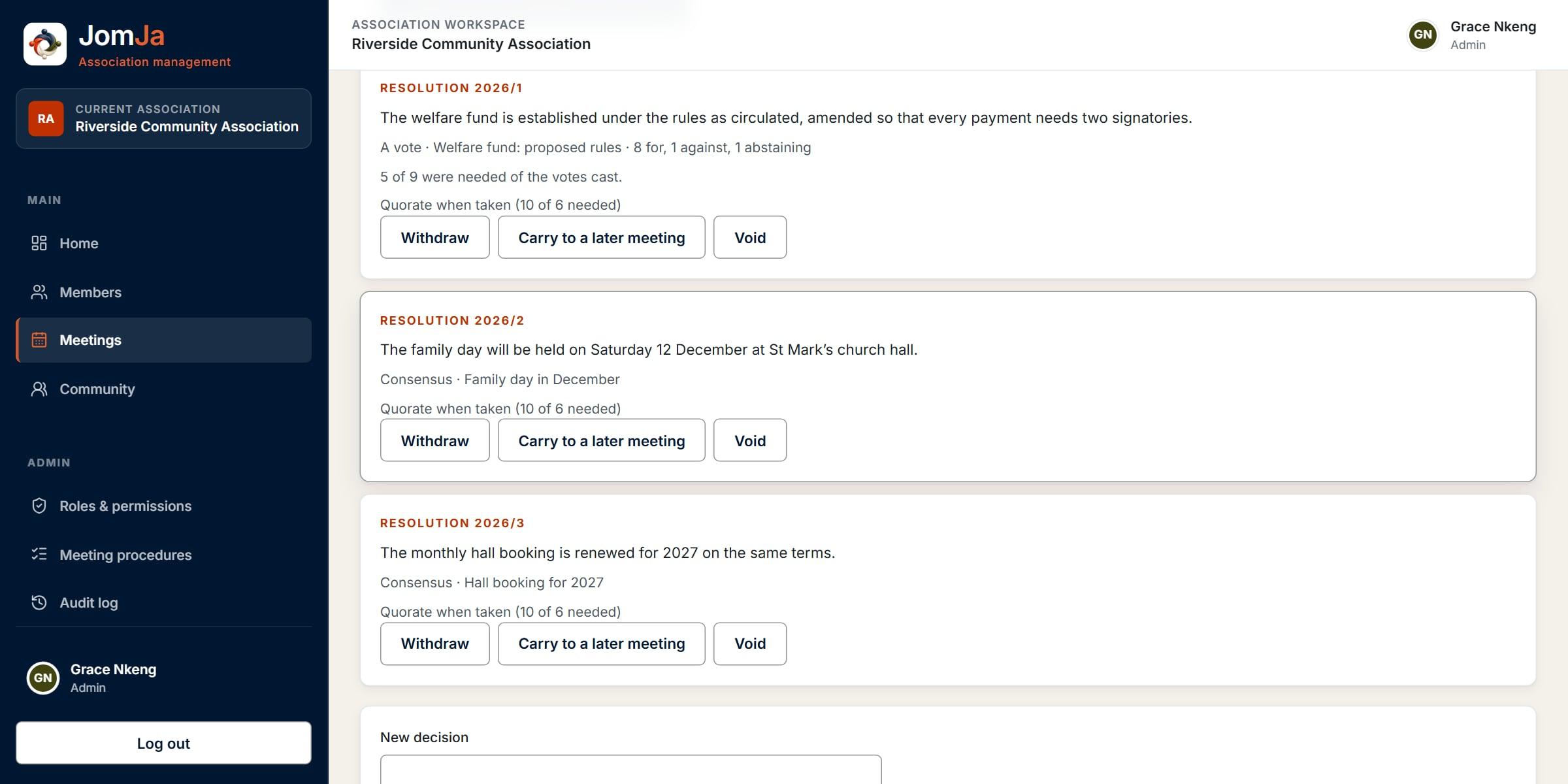
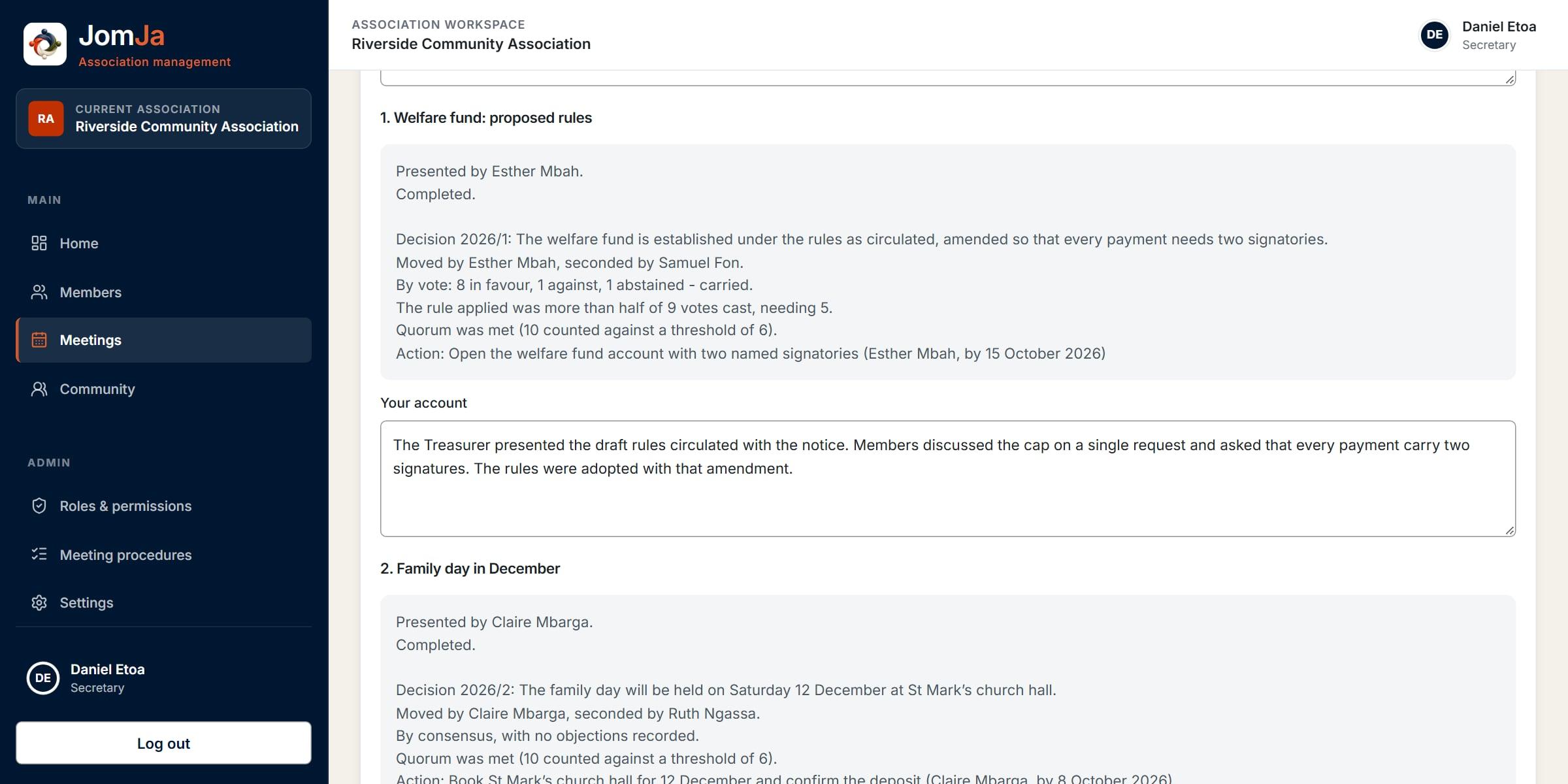
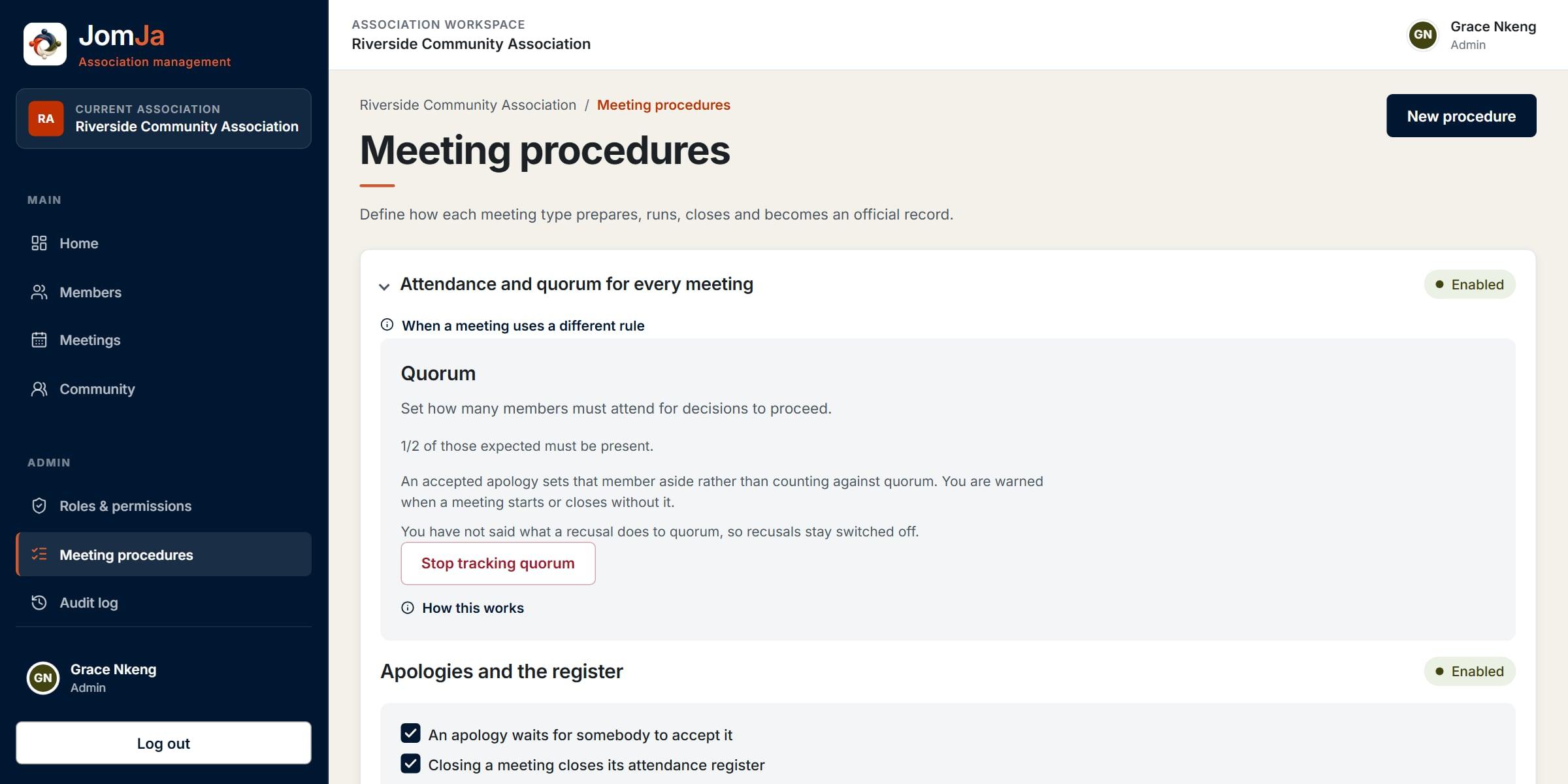
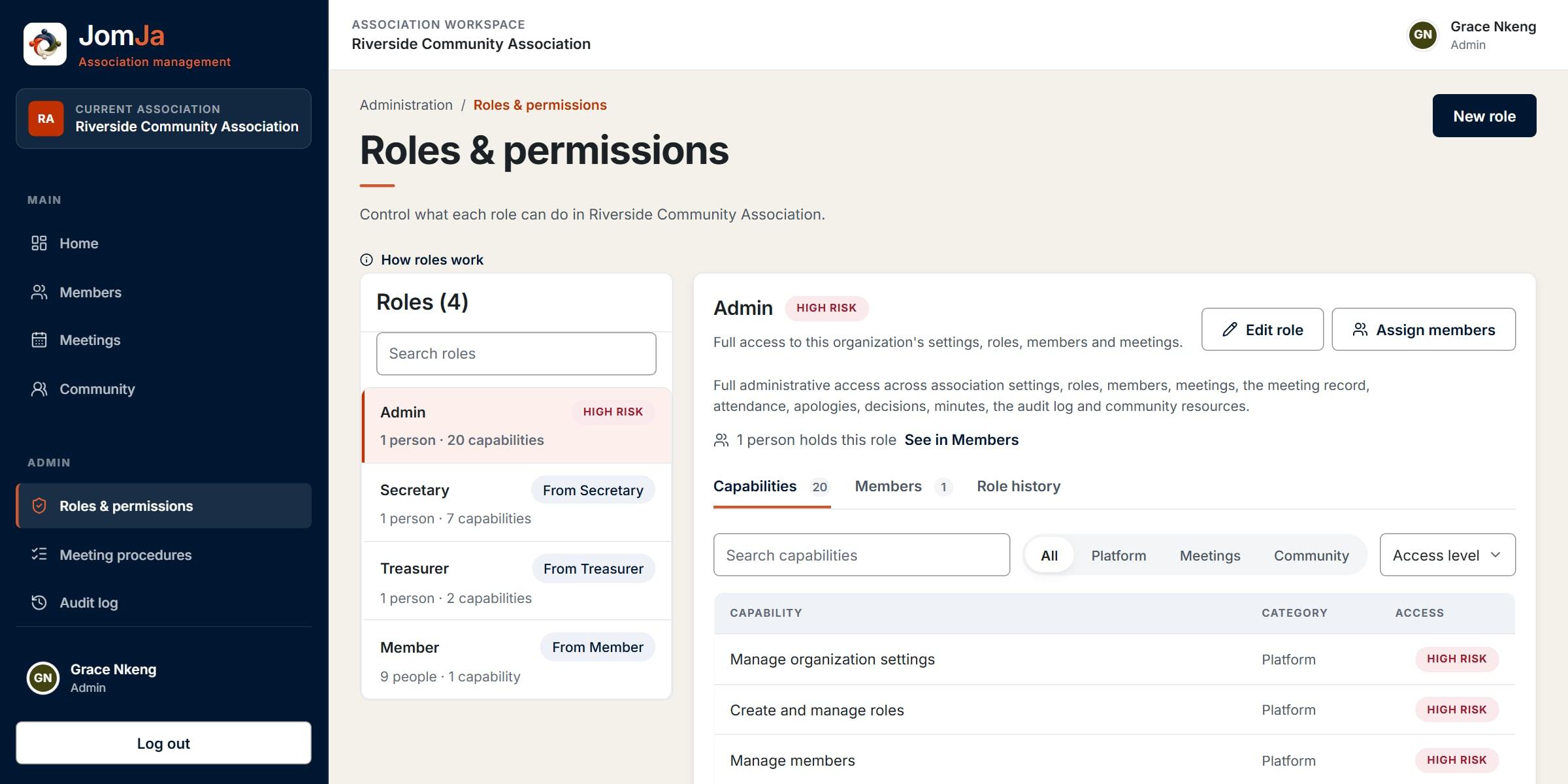
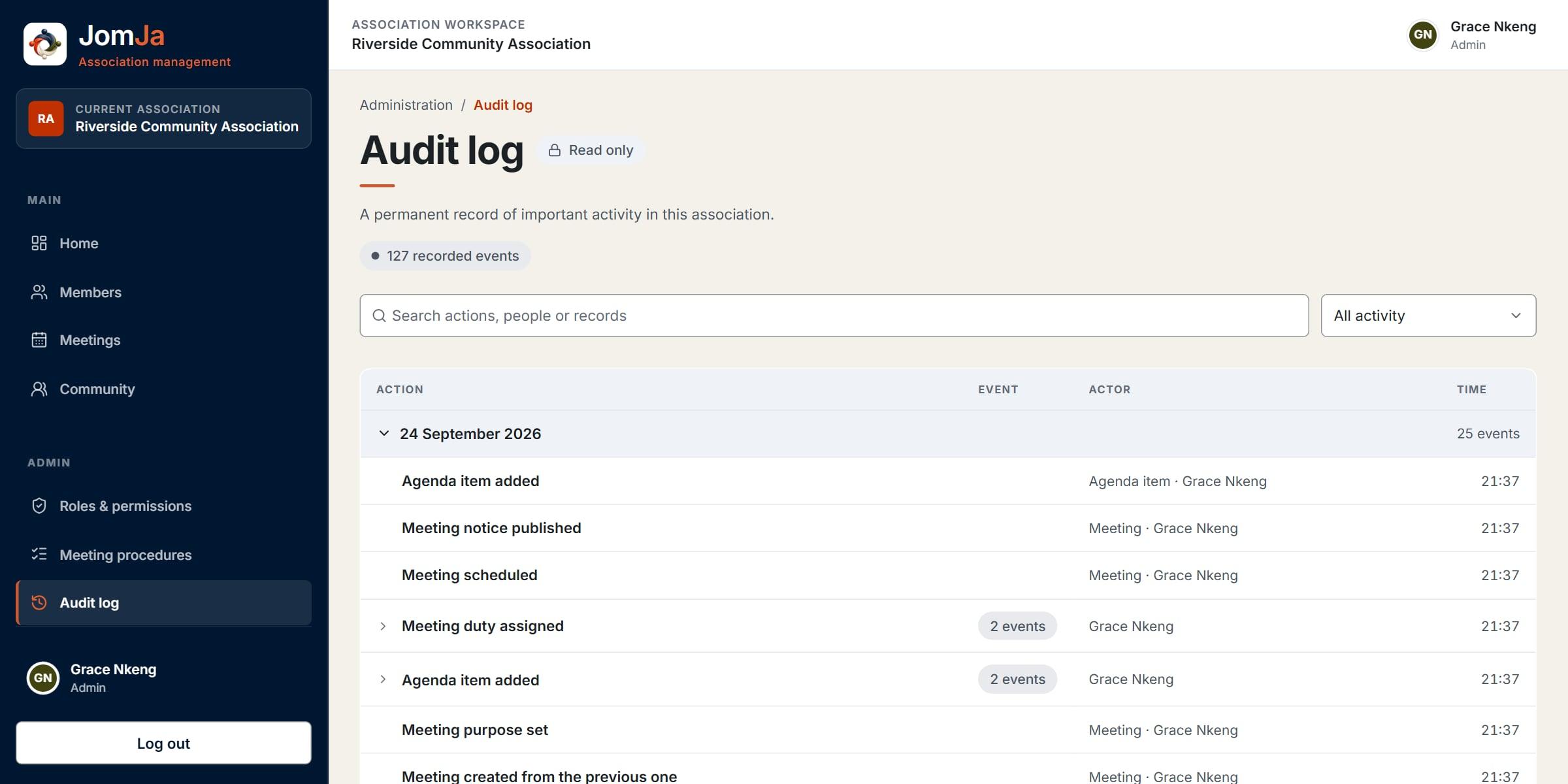
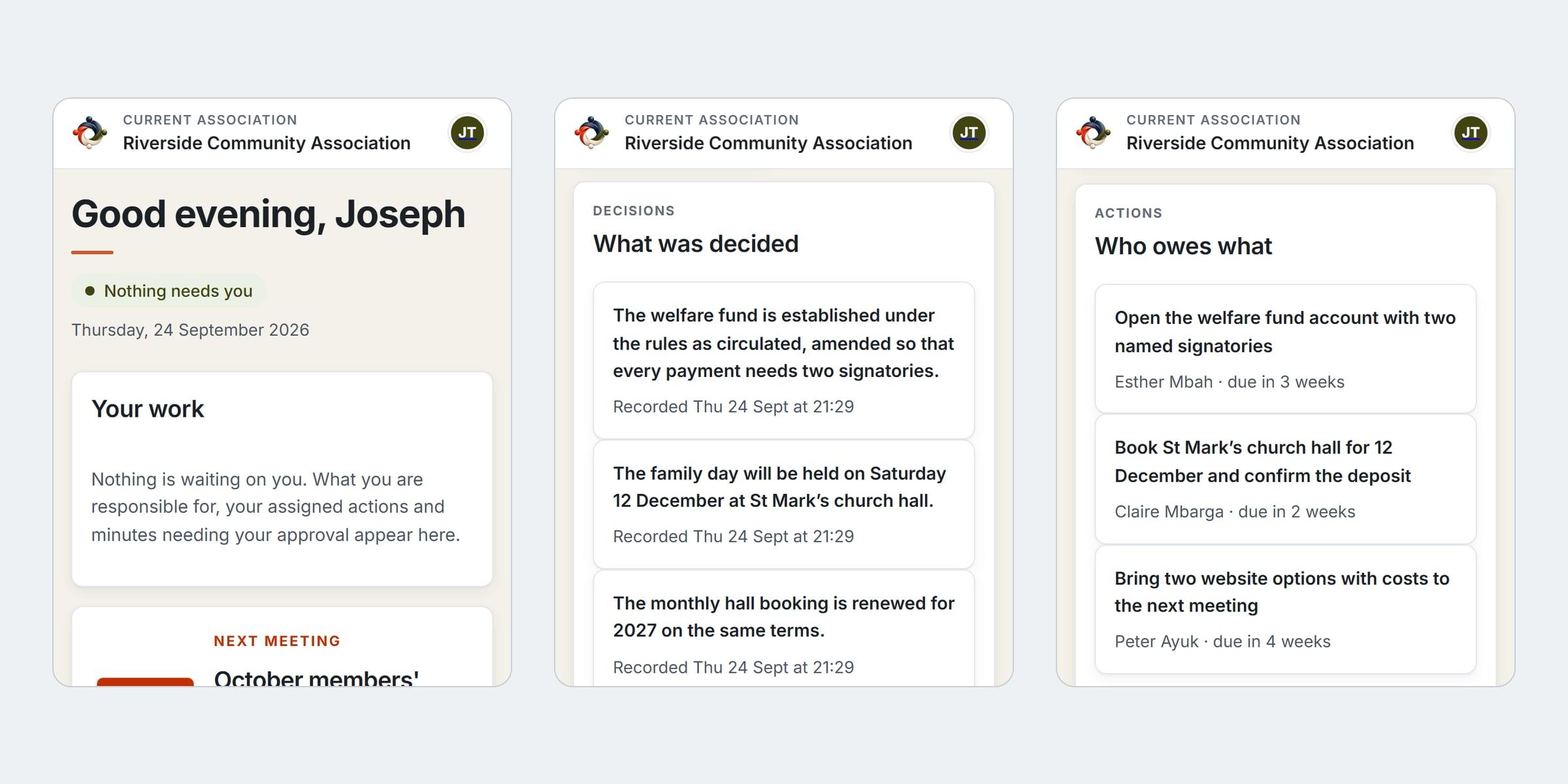
Running a meeting: the agenda, notes, attendance and decisions in one workspace
01 of 09
04
How it was designed
I work alone, from reference screens I drew for the product. Each element in them was sorted into built, planned or needing a new contract, so nothing was built just because it appeared in a picture. The running app was then audited at desktop, tablet and phone widths, and 492 rendered text elements were measured for contrast before the palette was settled.
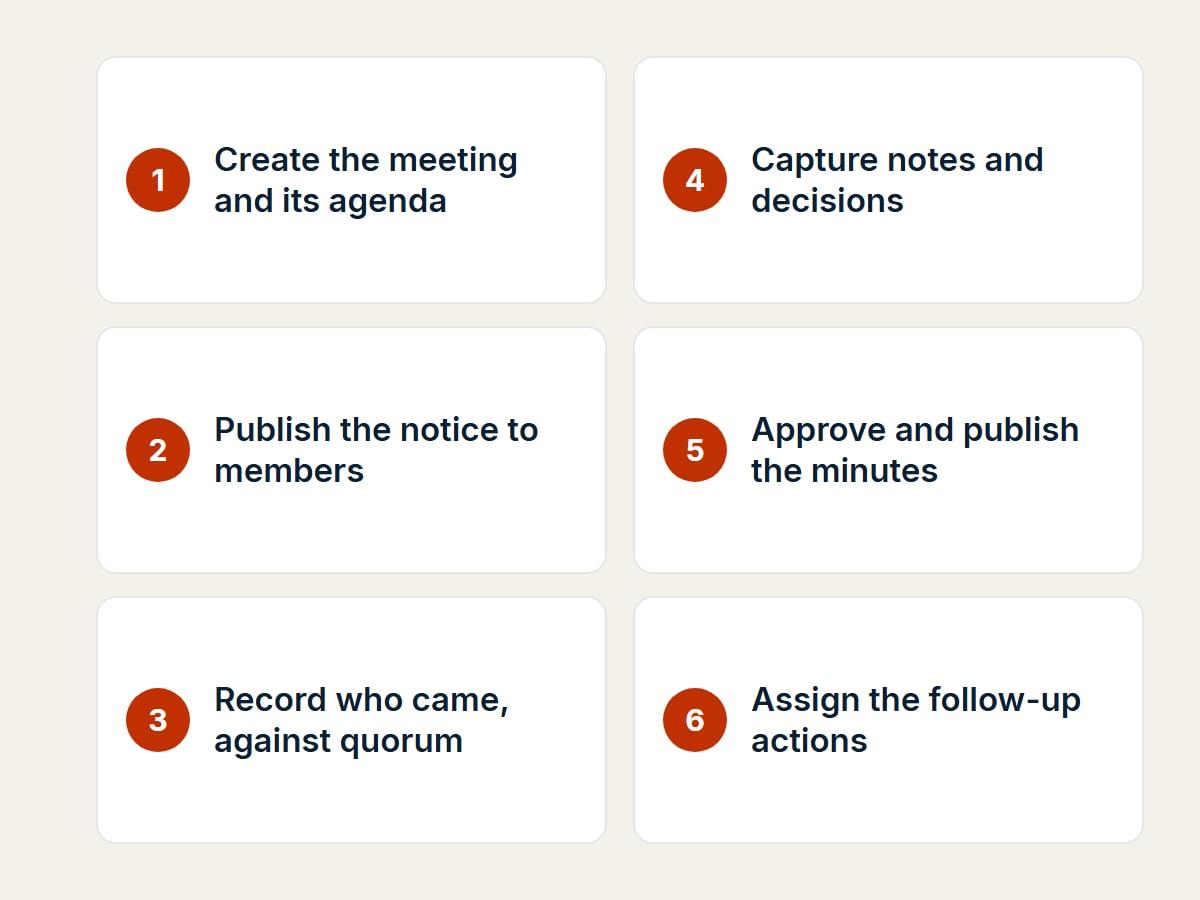
Flows
The journey that proved the product: from a notice to the official record.
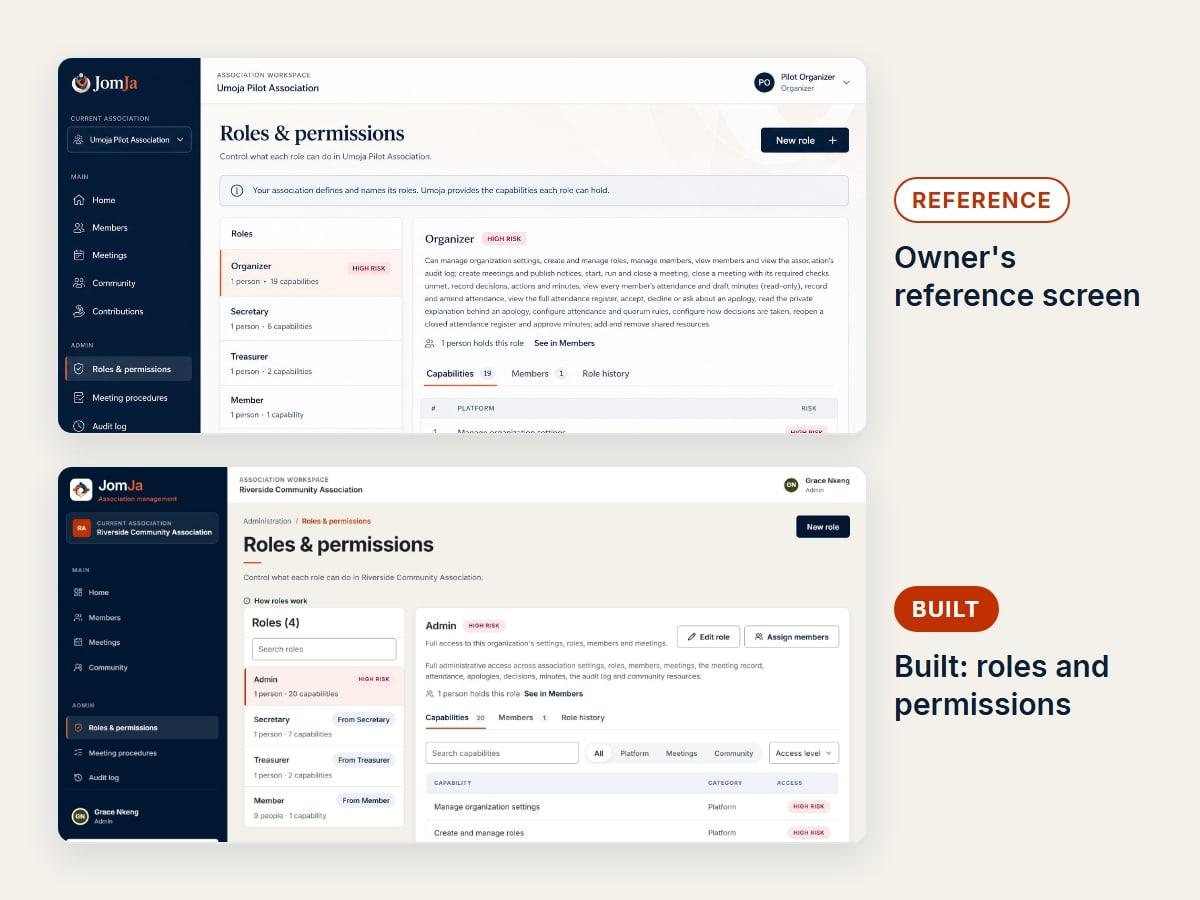
Reference to built
The roles screen: structure taken from the reference, detail rebuilt against the real permissions.
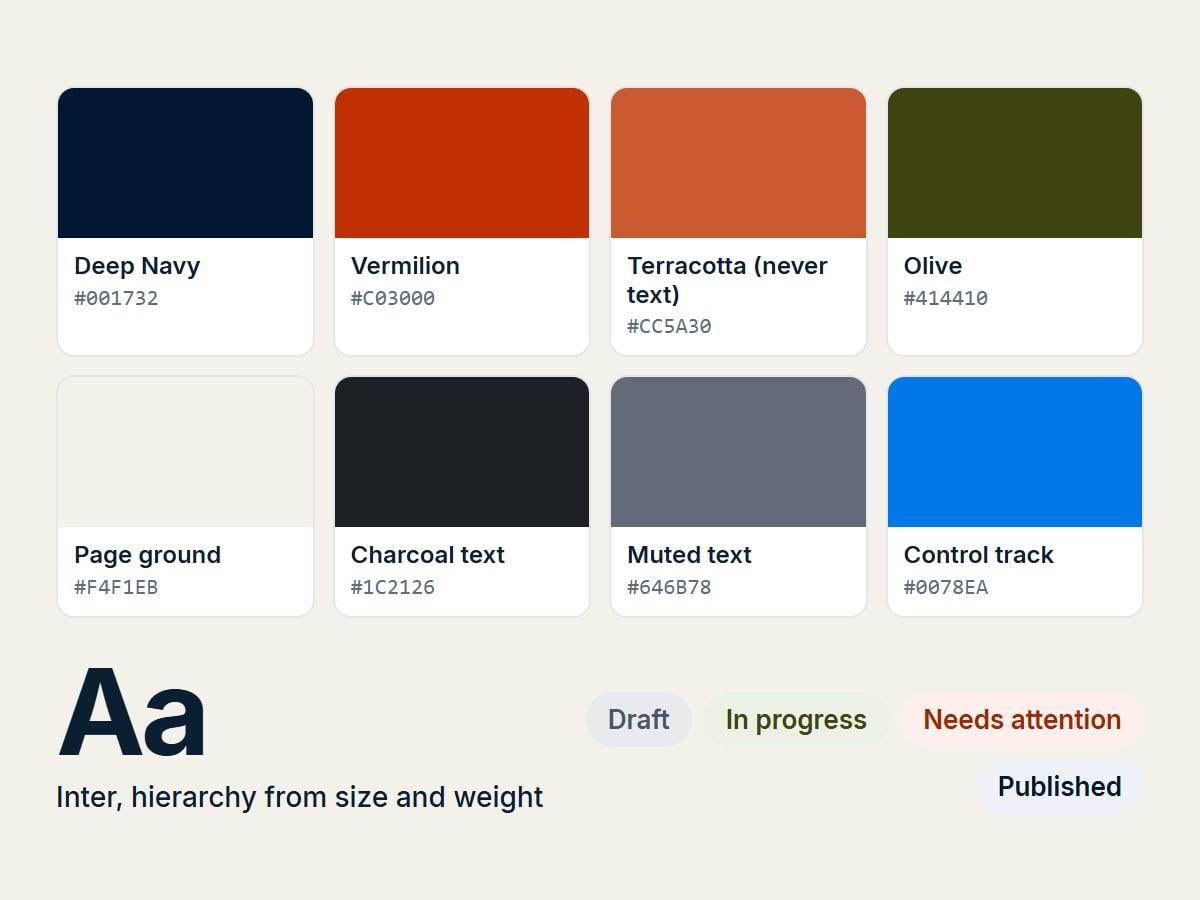
Design system
A palette sampled from the logo, with every pairing measured for contrast.
05
Decisions worth explaining
- 01
The association’s rules, not ours
Quorum, voting thresholds, motions and apologies are policies each association states for itself. There is deliberately no default for how an apology bears on quorum, because associations genuinely differ.
- 02
A record that cannot be rewritten
Decisions are superseded or voided, never edited, and a published version of the minutes is never changed: a correction publishes a new one. Rules are frozen onto a meeting when it starts, so a decision still cites the rule it was taken under.
- 03
Generated and written text never touch
Draft minutes pair a section generated from the record with the secretary’s own account. Regenerating rewrites the first and never the second, and the generator is given no working notes, so private discussion cannot reach the minutes.
- 04
Tenancy enforced twice
Every record carries its association, checked in the application and again by PostgreSQL row-level security under a restricted database role.
06
Where it got to
The whole meeting cycle is built: preparation and notice, running the meeting, attendance and quorum, decisions, closing it properly, minutes through to publication, and following up in the next meeting. It runs on a staging environment with a demonstration association, ready for a first pilot.
- 5
- stages from notice to official record
- WCAG 2.2 AA
- target, checked on every change
- 1
- demonstration association, ready for a pilot
The boundary
What this does not claim
- No association is using it yet, so there are no usage figures or testimonials.
- Contributions, mutual assistance and Djangui savings circles are designed but not yet built.
- The screens show a demonstration association with invented members.
A guided tour of the product, on a call.