
Mandela Bilingual
Mandela Bilingual is a website for a nursery and primary school, with a simple staff dashboard behind it.
- Design and full-stack build
- Families and school staff
- Complete, running as a demo
Status: Complete, running as a demo
- Design
- full-stack build
- Families
- school staff
- React
- Vite
- Tailwind CSS
- Express
- MongoDB
- Node.js

01
Overview
It is for families thinking about the school, and for the office staff who answer them.
Families can learn about the school, read its news and upcoming events, and send an admissions enquiry. Staff see every enquiry in one inbox and reply from it, keep the list of pupils, and publish news and events that appear on the website straight away, with no developer involved.
02
The problem
A family’s first question to a school often goes into a shared inbox and waits. Meanwhile the website’s news and dates go stale, because changing them needs whoever built the site.

03
What it does
One product, 4 views over the same records. Pick one to see the screen it lives in.
The roll, enquiries and what is coming up
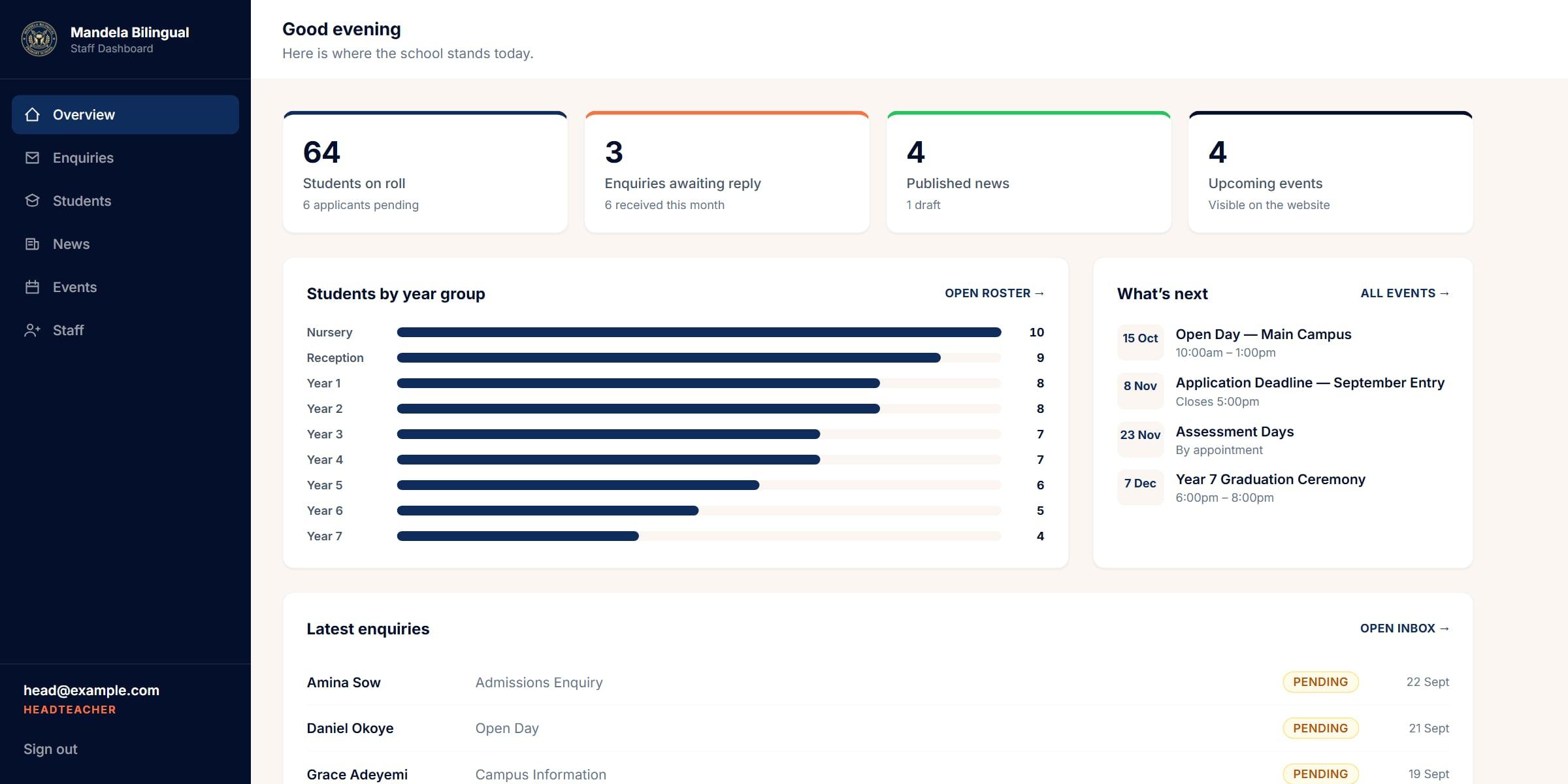
The school at a glance
Pupils on roll, enquiries waiting, news and events, counted on arrival.
What is next
Upcoming events, as families will see them on the website.
Nothing left waiting
The newest enquiries, each marked until it has had a reply.
More screens
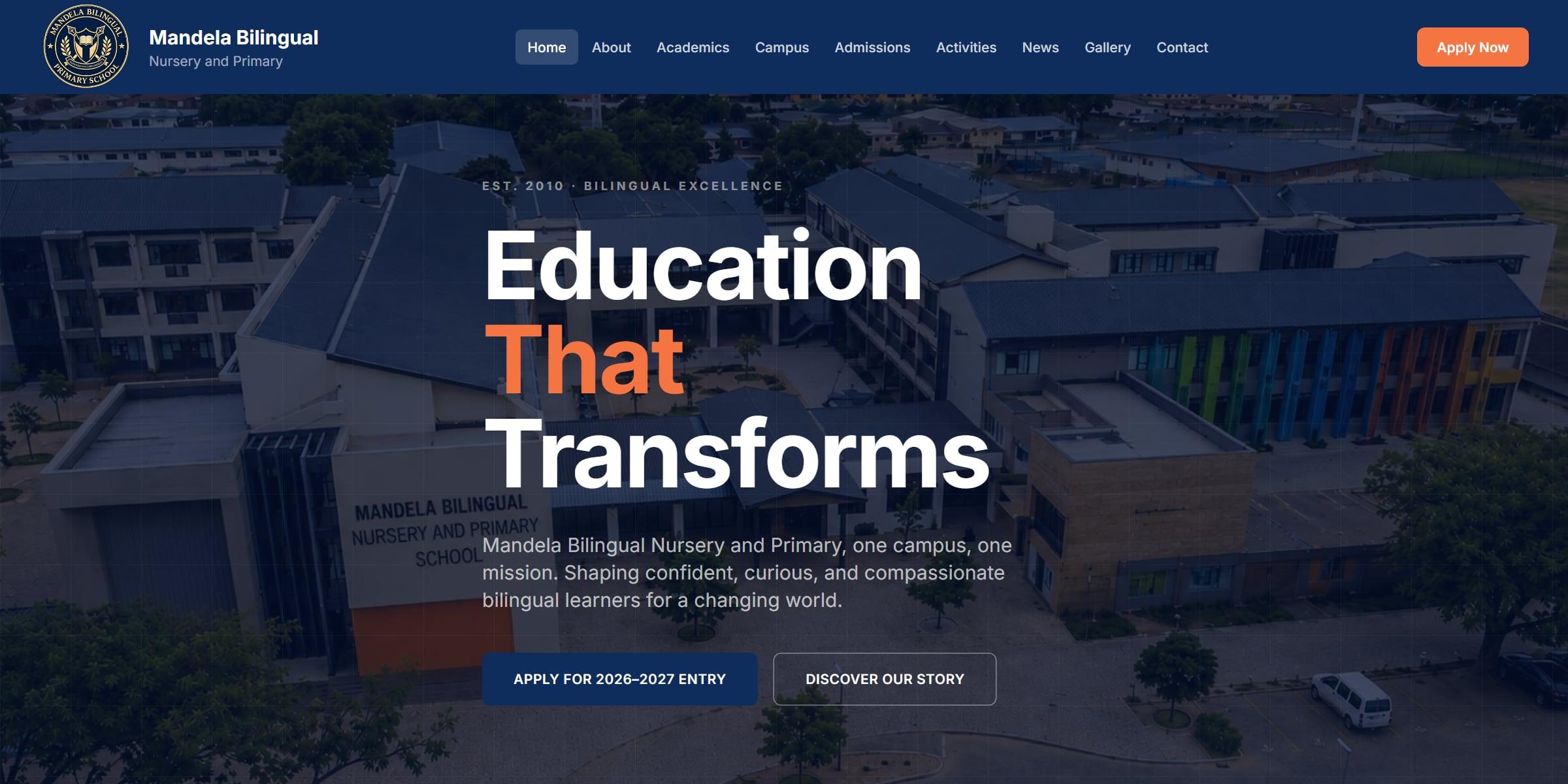
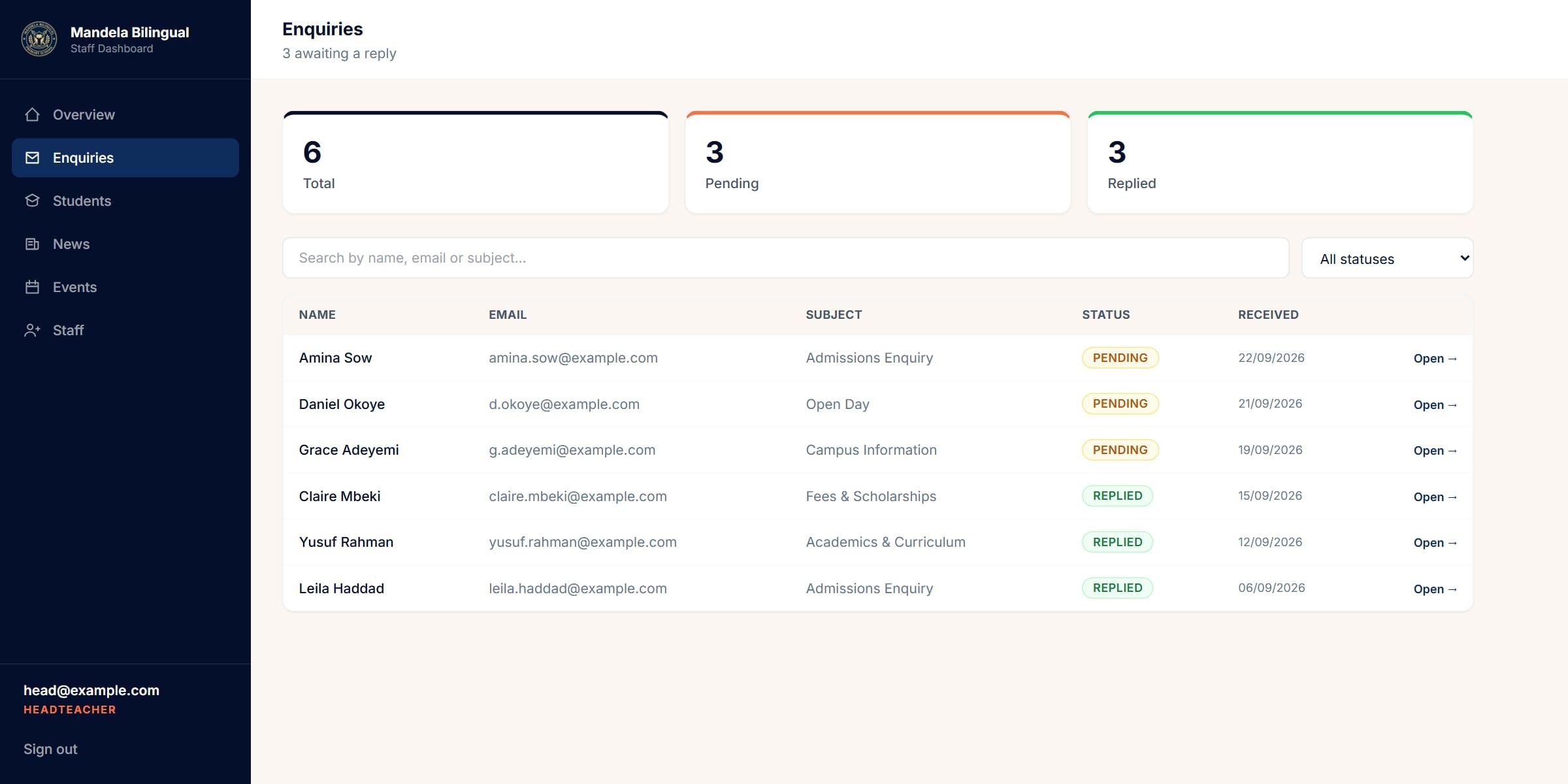
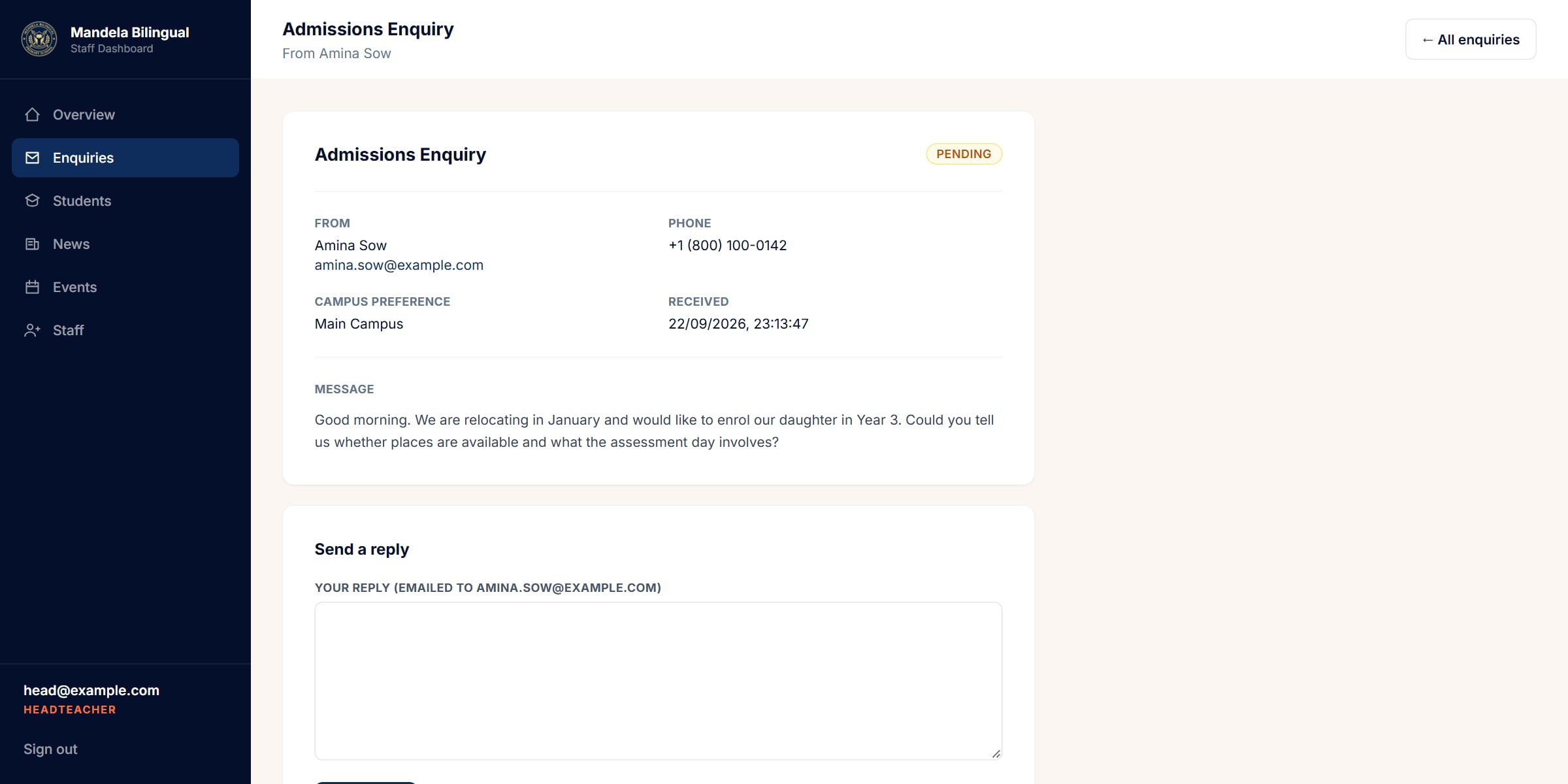
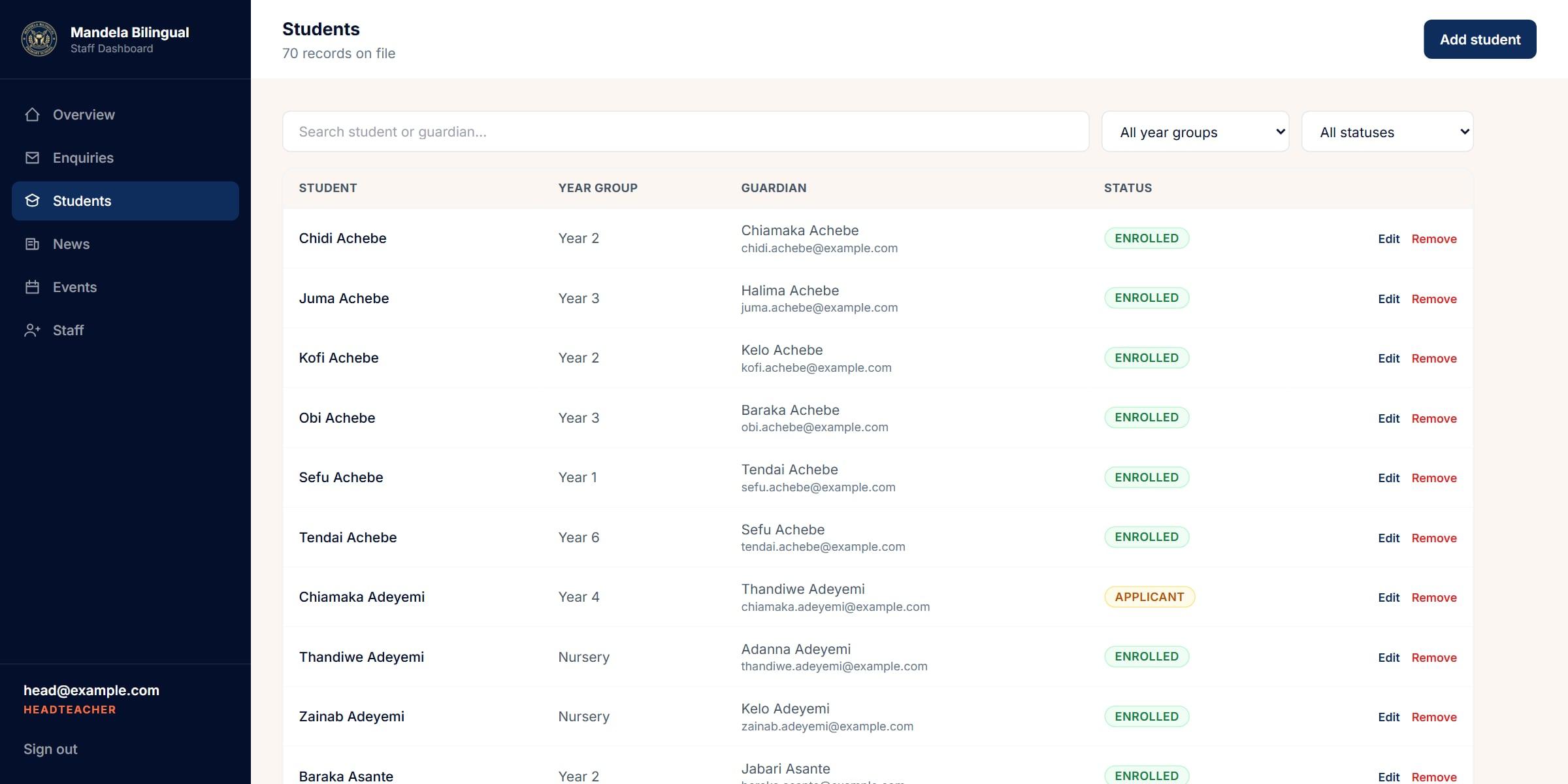
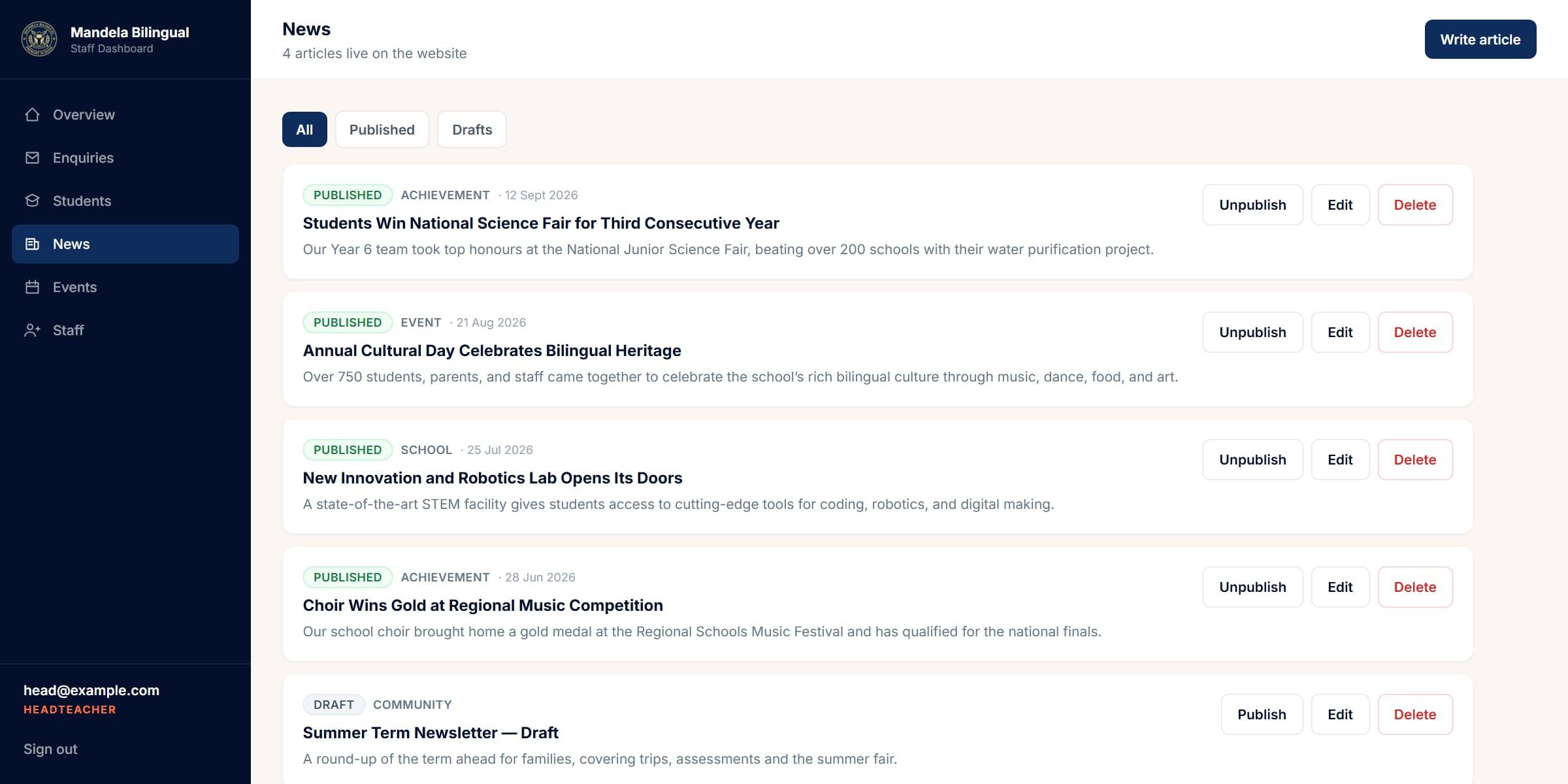
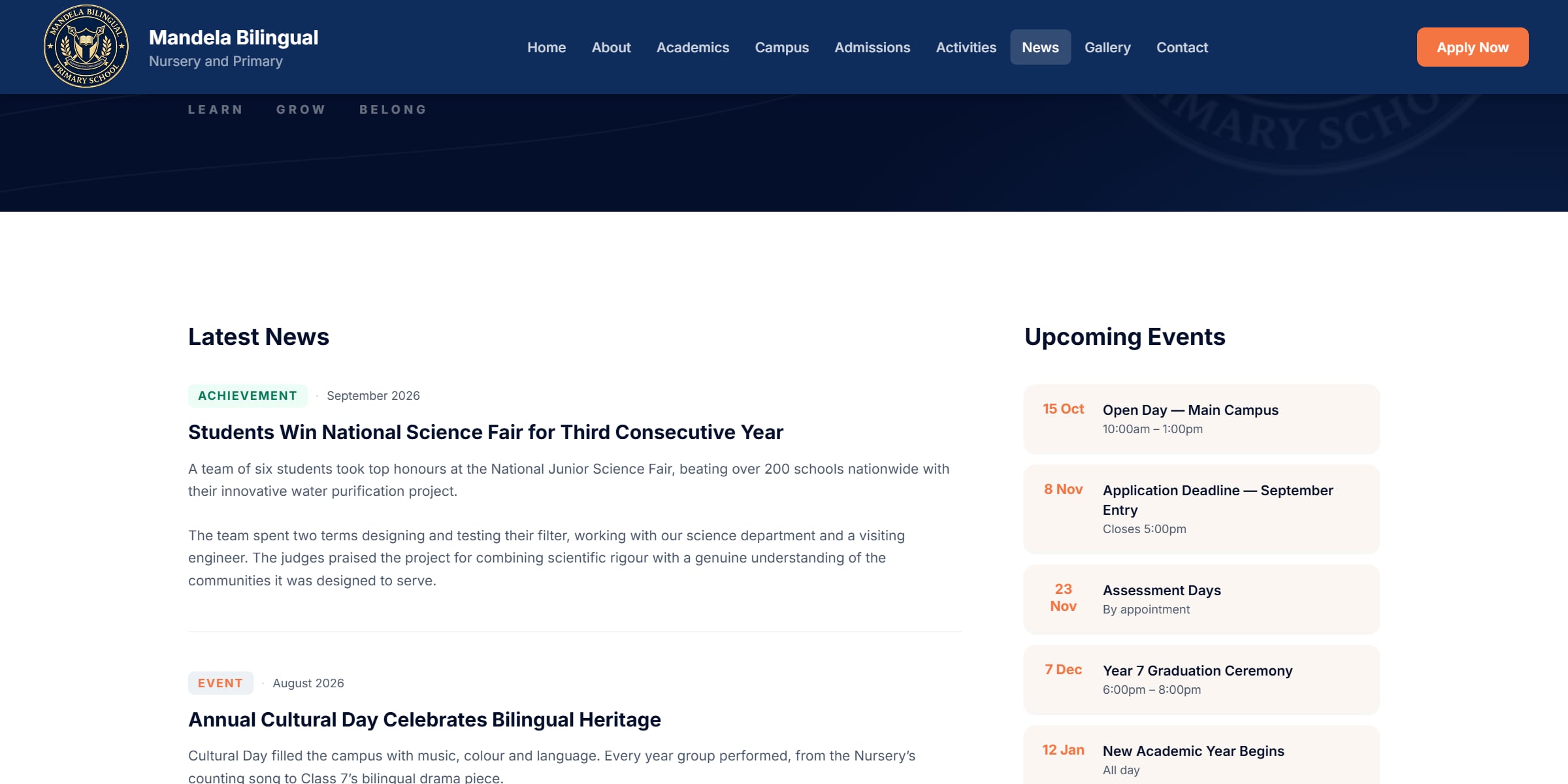
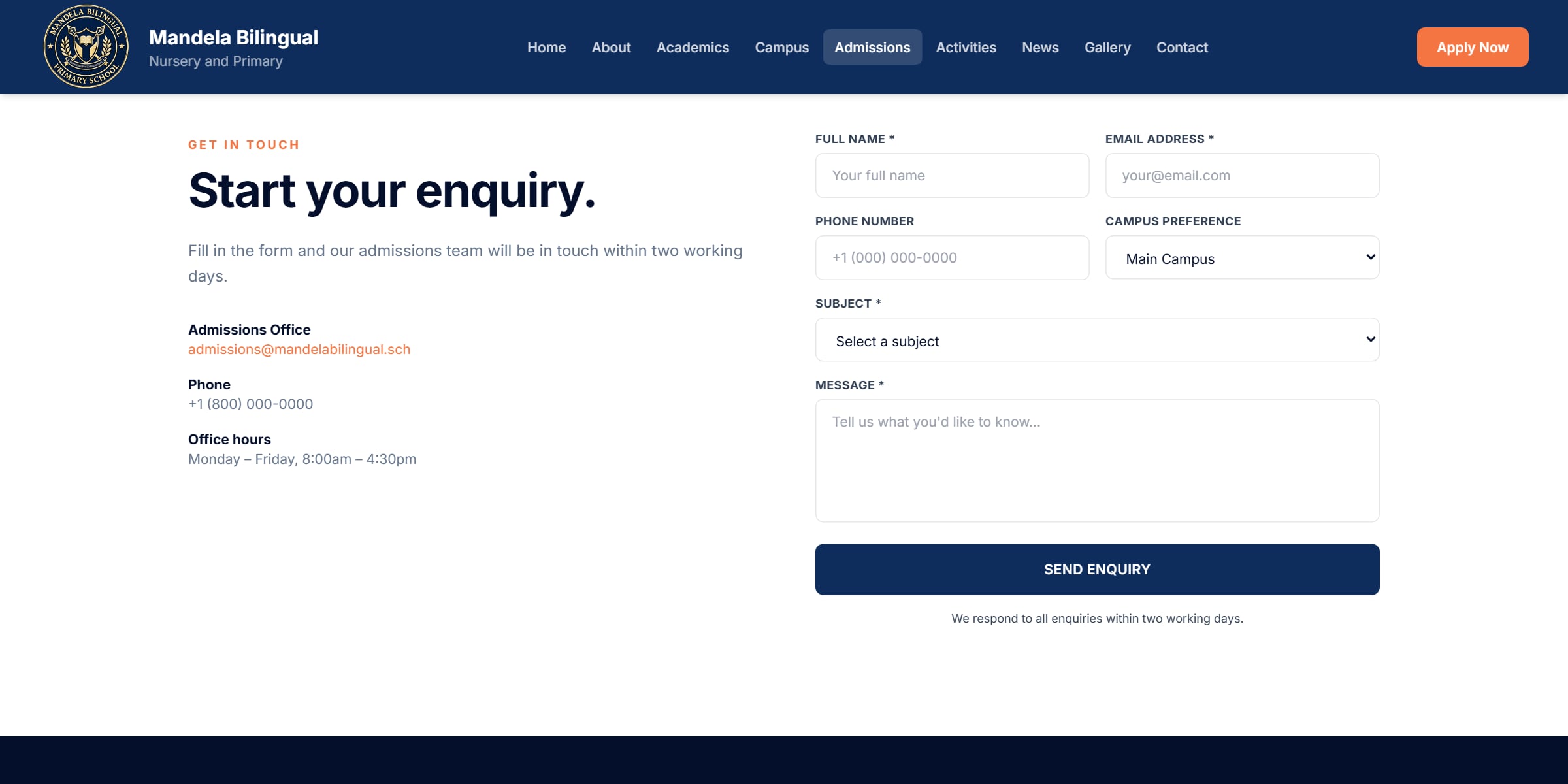
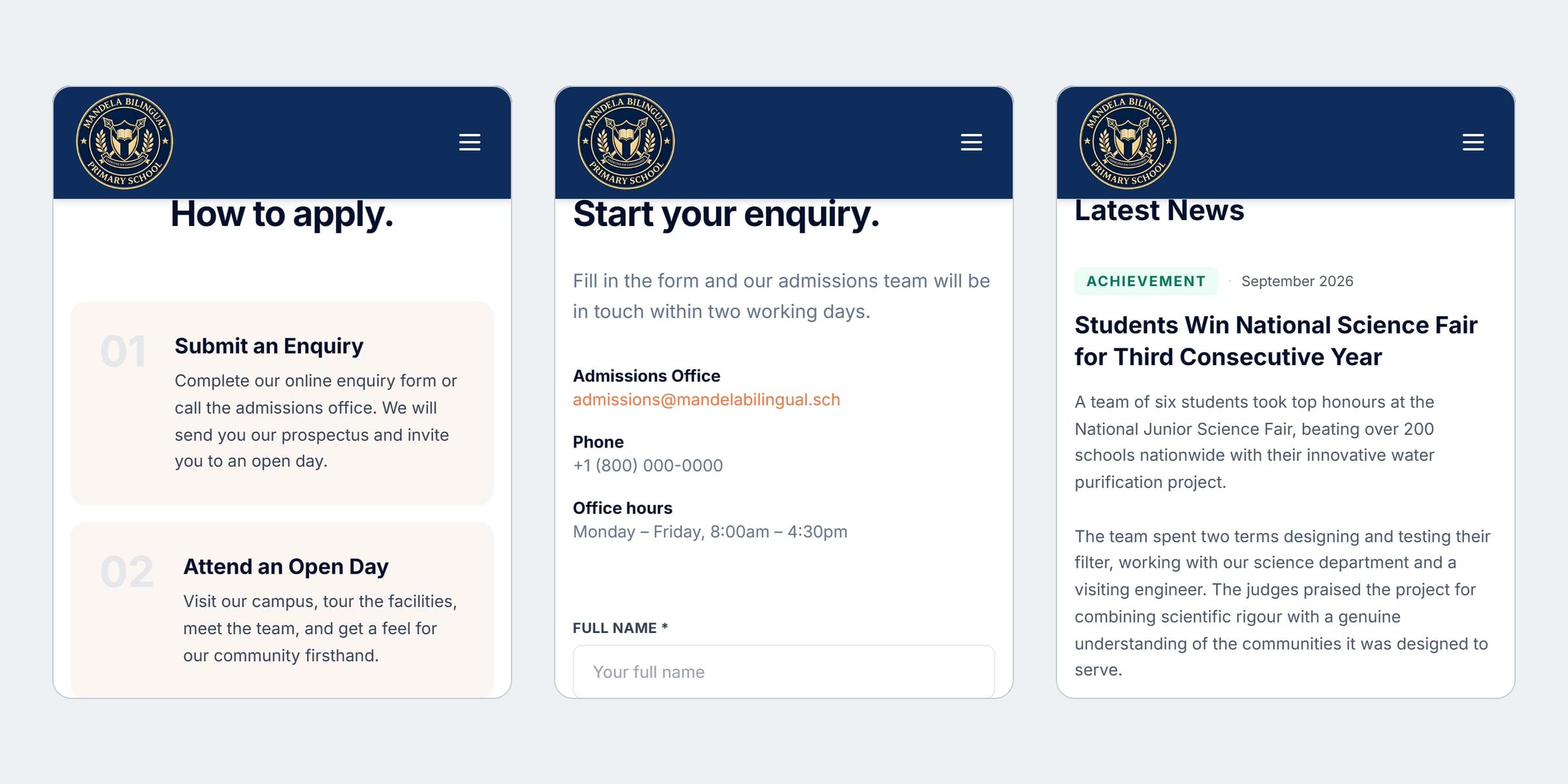
The home page families arrive on
01 of 09
04
How it was designed
I designed and built this alone, as one application with two layouts: the school’s public pages, and a staff dashboard behind sign-in. It began as a simple enquiry panel and grew into a full dashboard once it was clear the office also needed the pupil list, news and events.
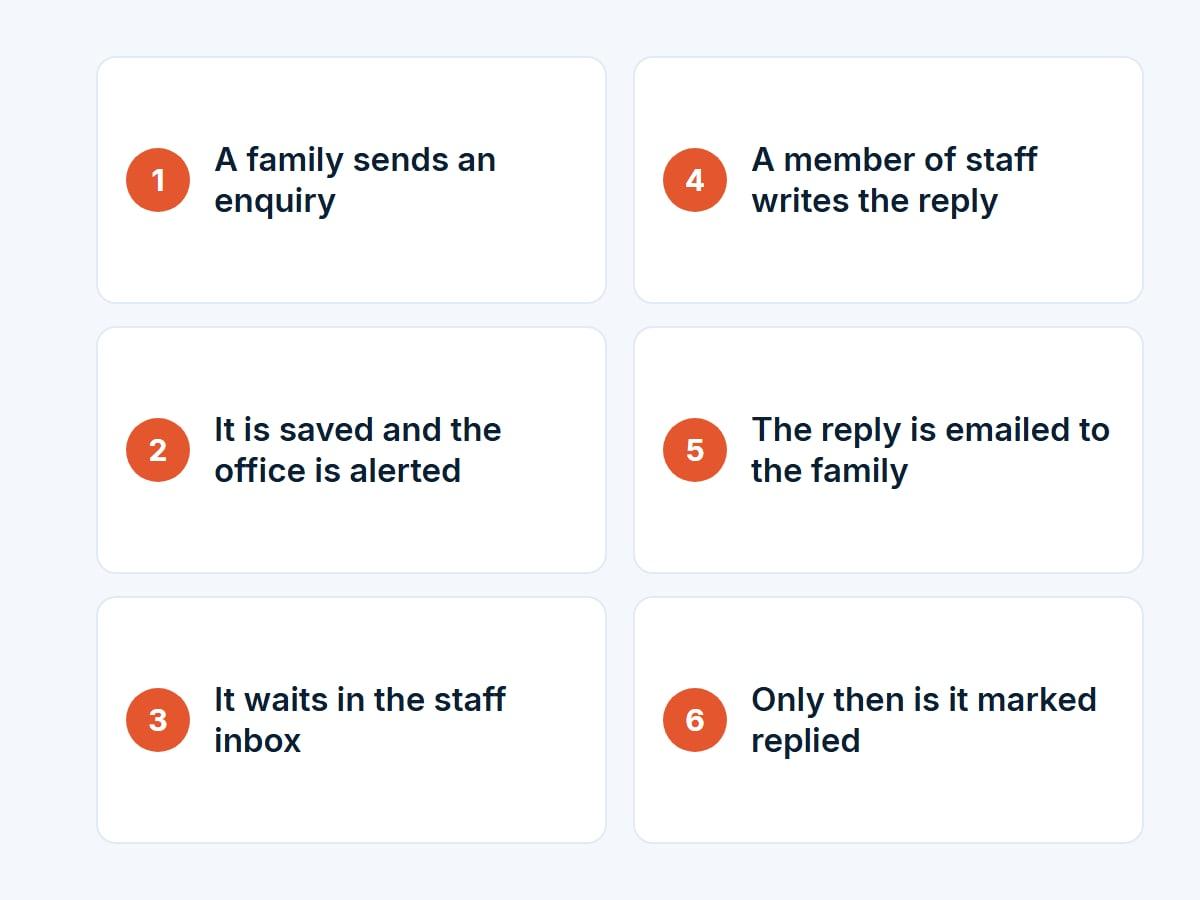
Flows
An enquiry is only marked replied once the email has actually gone.
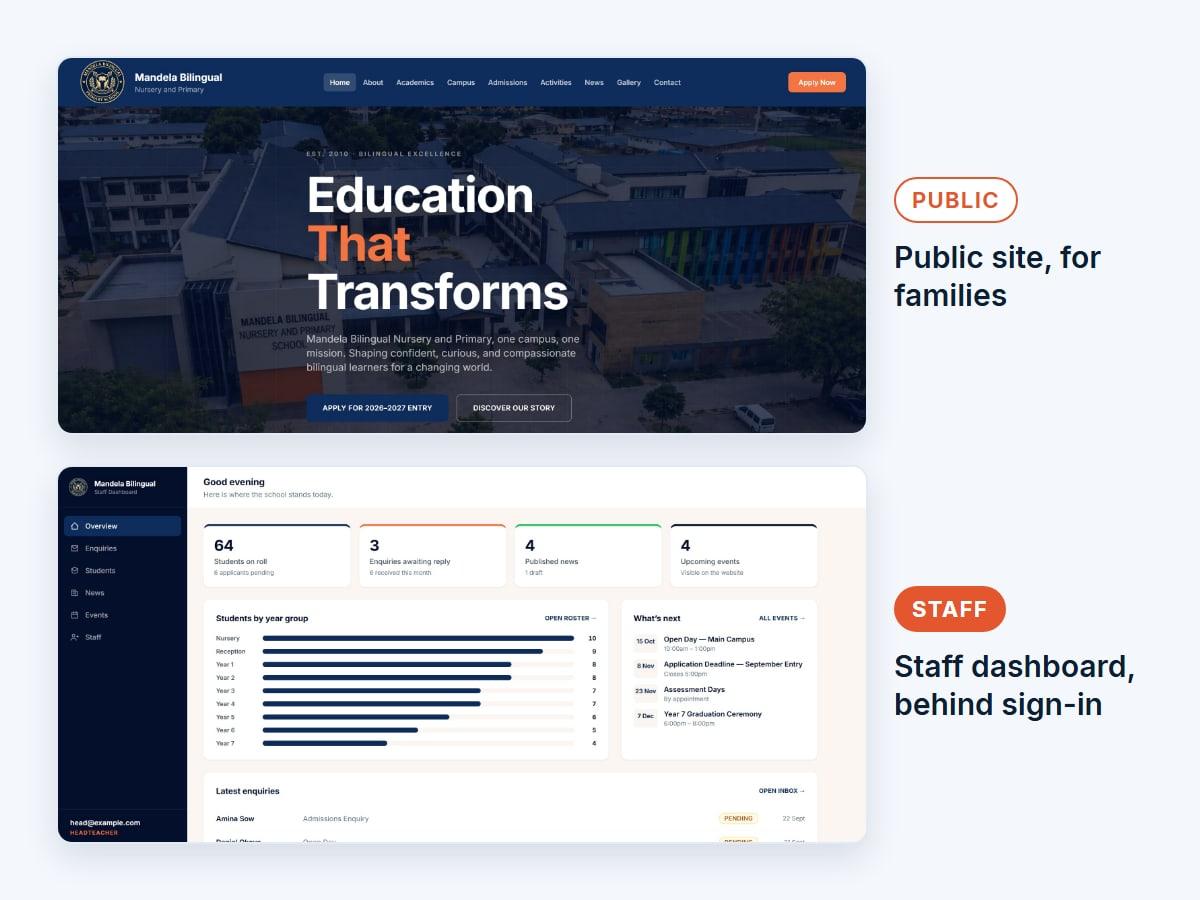
Two layouts
The public site and the staff dashboard, from one application.
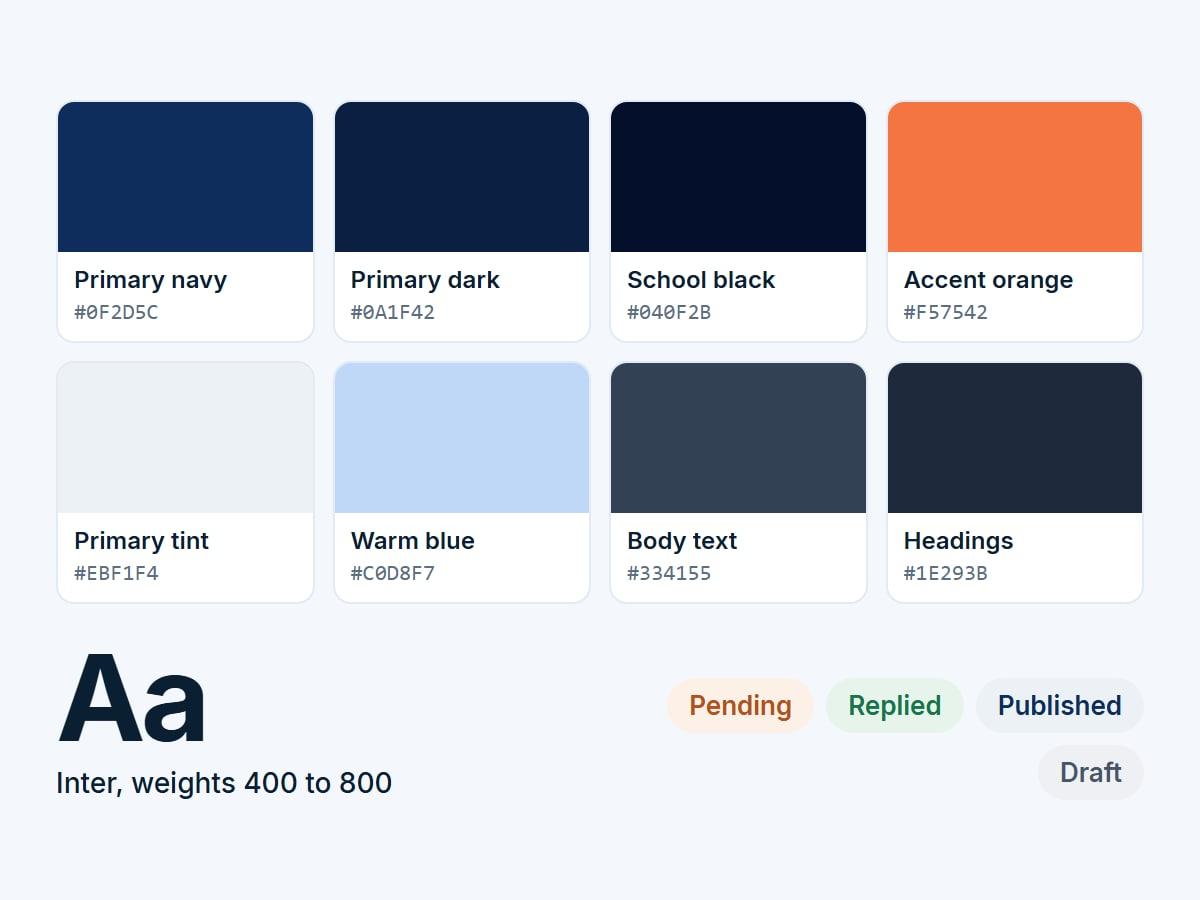
Design system
The school’s navy, with one warm accent for what needs attention.
05
Decisions worth explaining
- 01
One application, two layouts
The public site and the staff dashboard are one React app. Public pages share the school’s header and footer; staff routes sit outside them, behind a guard.
- 02
Roles enforced on the server
A headteacher manages staff accounts, office staff handle enquiries and content, and teachers read only. The API refuses what a role cannot do, whatever the browser shows.
- 03
Drafts filtered at the source
The public content endpoints return published items only, so an unfinished article cannot be found by reading the page.
06
Where it got to
The website and its staff dashboard are complete and work end to end: enquiries in and replies out, staff sign-in with roles, the pupil list, and news and events published straight to the site. It runs as a live demo.
- 9
- public pages for families
- 3
- staff roles, enforced by the server
- 1
- application, public site and dashboard
The boundary
What this does not claim
- It runs as a demo, not for a real school, so there are no visitor figures.
- It has no automated tests yet.
- The pupils, families, enquiries and contact details shown are invented.
The website runs as a live demo. Its source code is public.